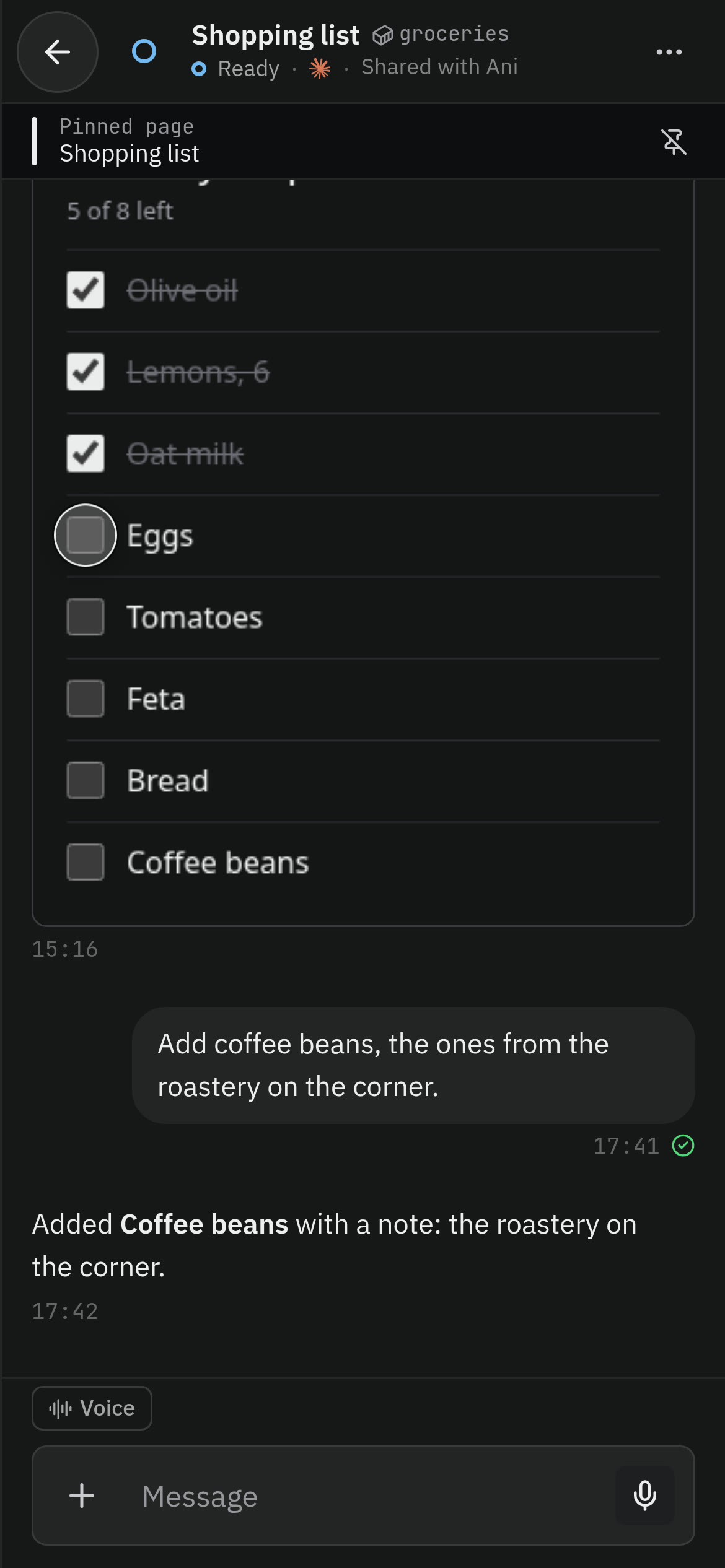
Pages in the chat
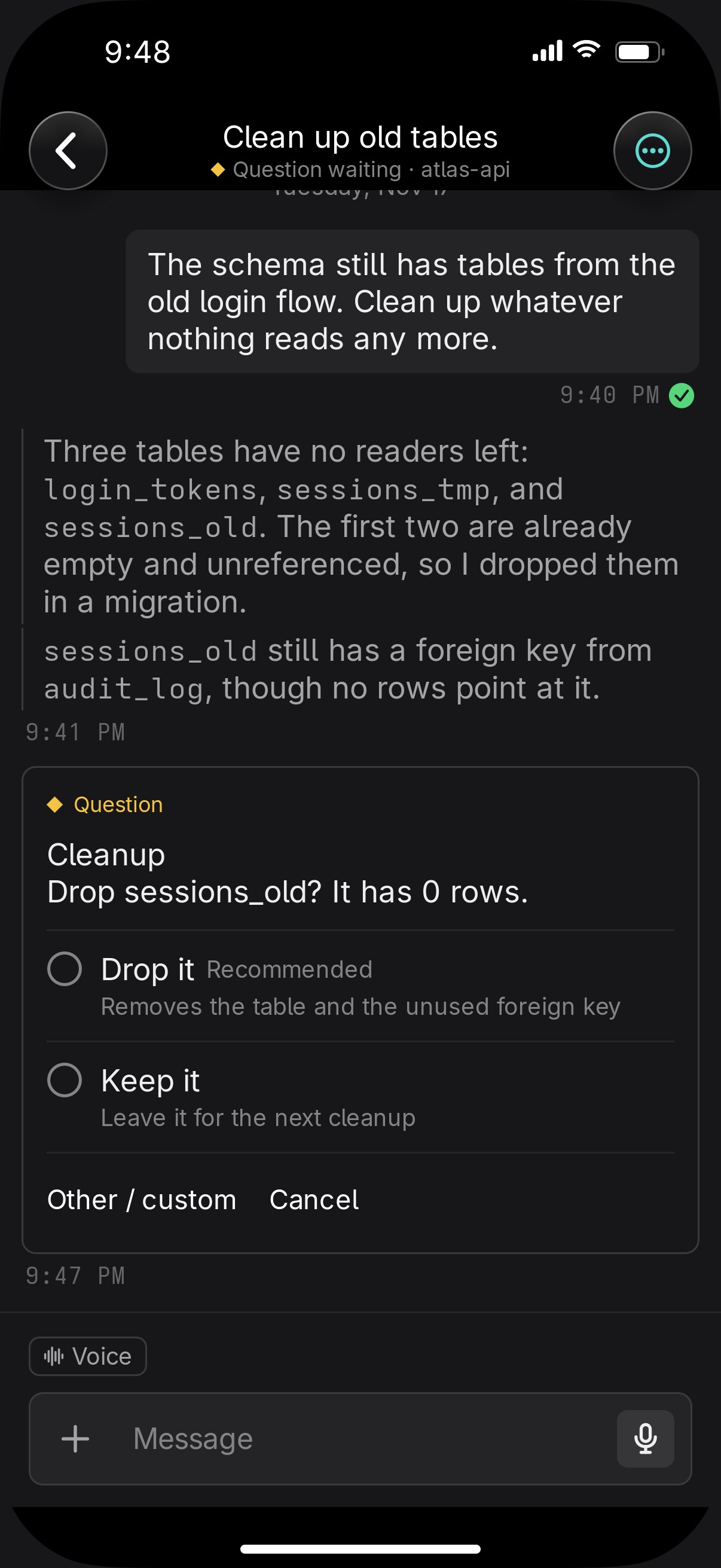
An agent can answer with a checklist, a comparison, or a form that opens in the chat and sends your choices back.
Vendetta finds every Claude Code, Codex, and OpenCode session on your machine and gives each one a chat on your phone. Answer its question, approve a command, or start new work from wherever you are.
Free and open source. Linux and macOS. iPhone app on TestFlight.
Who's it for
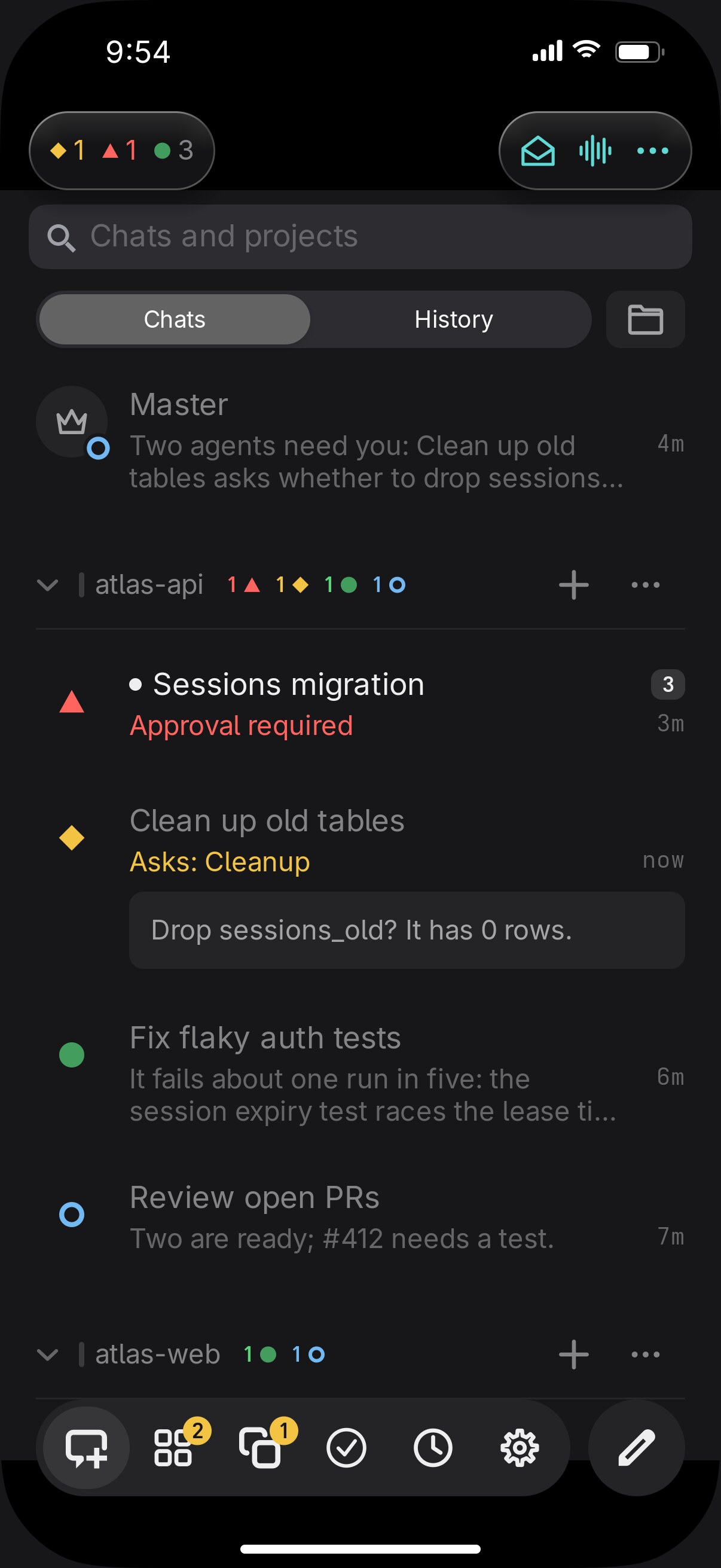
Eight agents across four projects. See which one is waiting and answer it from the train. See how it goes
Give each part of the company a lead agent with a team under it, and get one report on Monday. See how it goes
Share a project with two friends. Each of you prompts the same agents from your own phone. See how it goes
A grocery list that an agent keeps, on both your phones. See how it goes
Needs you
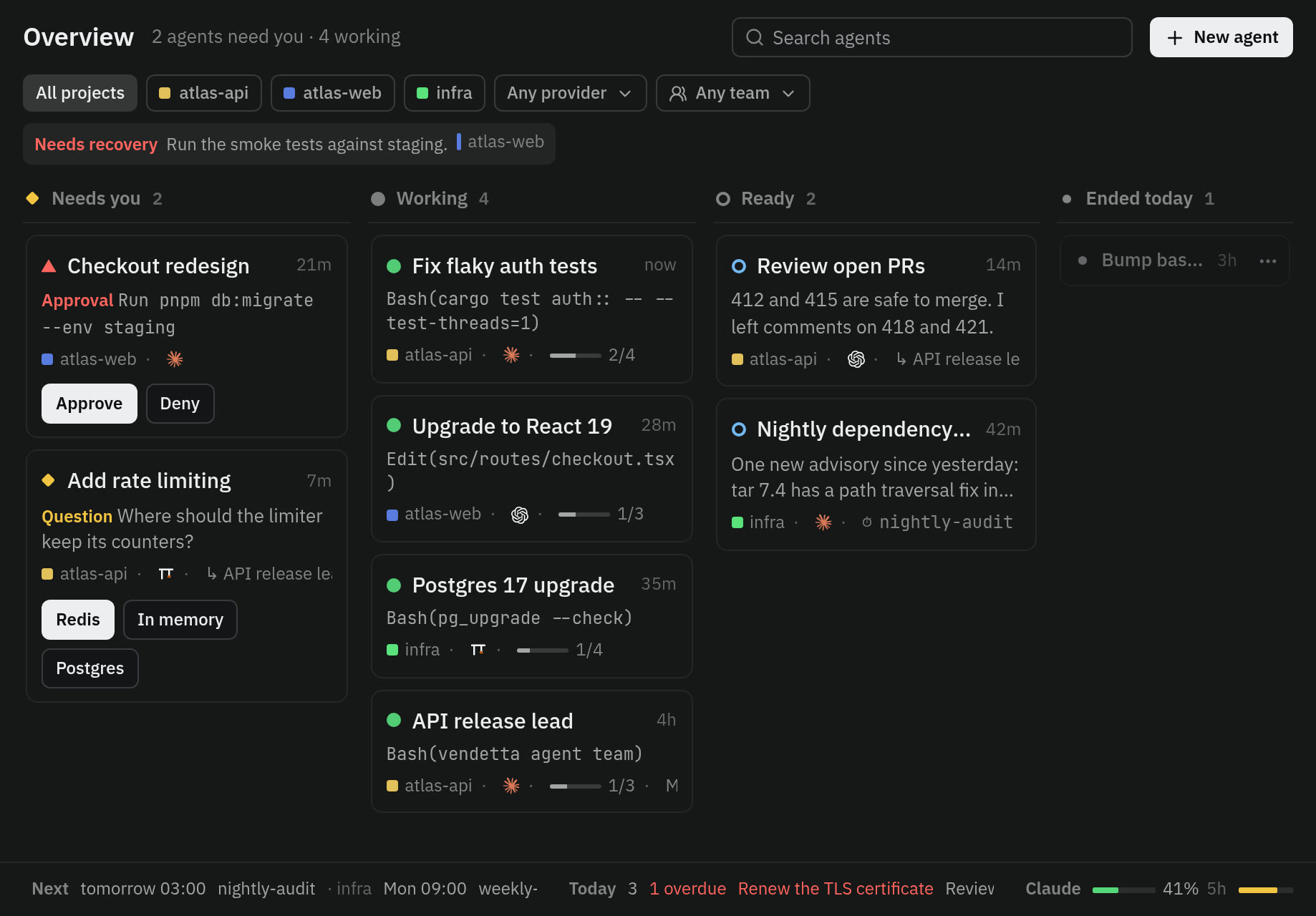
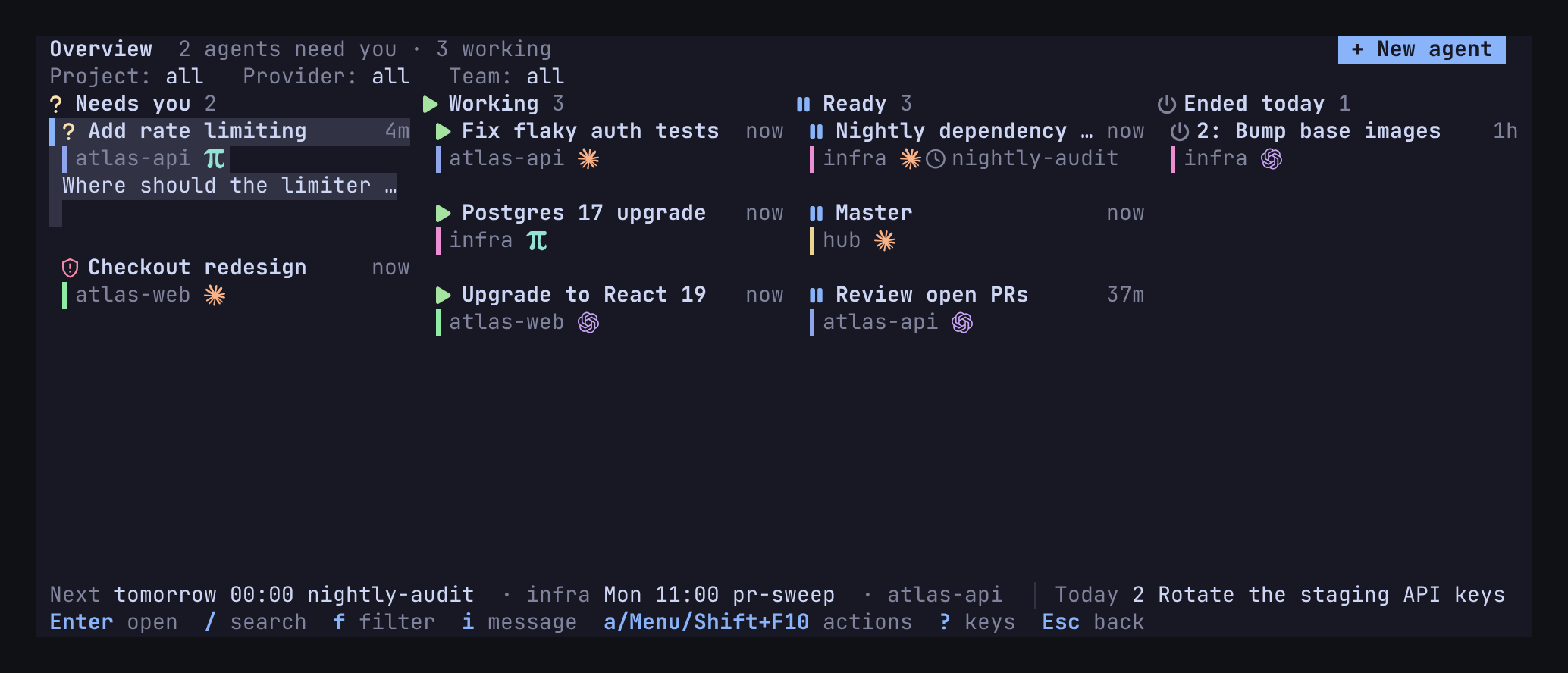
You start five agents and go make coffee. One finishes. One asks whether it may drop a table, and waits. Forty minutes later you find it.
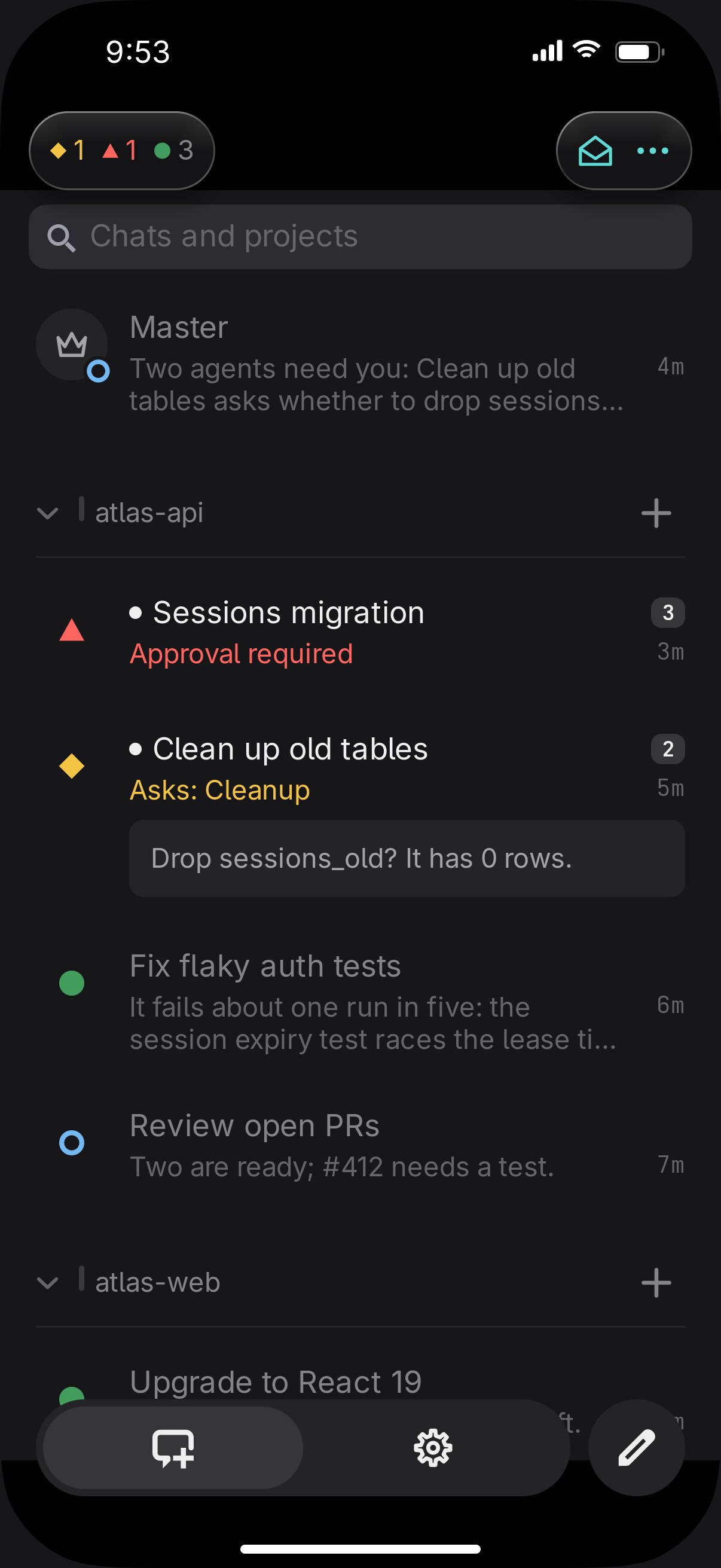
Vendetta sorts every agent by what it needs from you. The one that is waiting is the first thing you see, on whichever screen is in front of you.
Questions and approvals
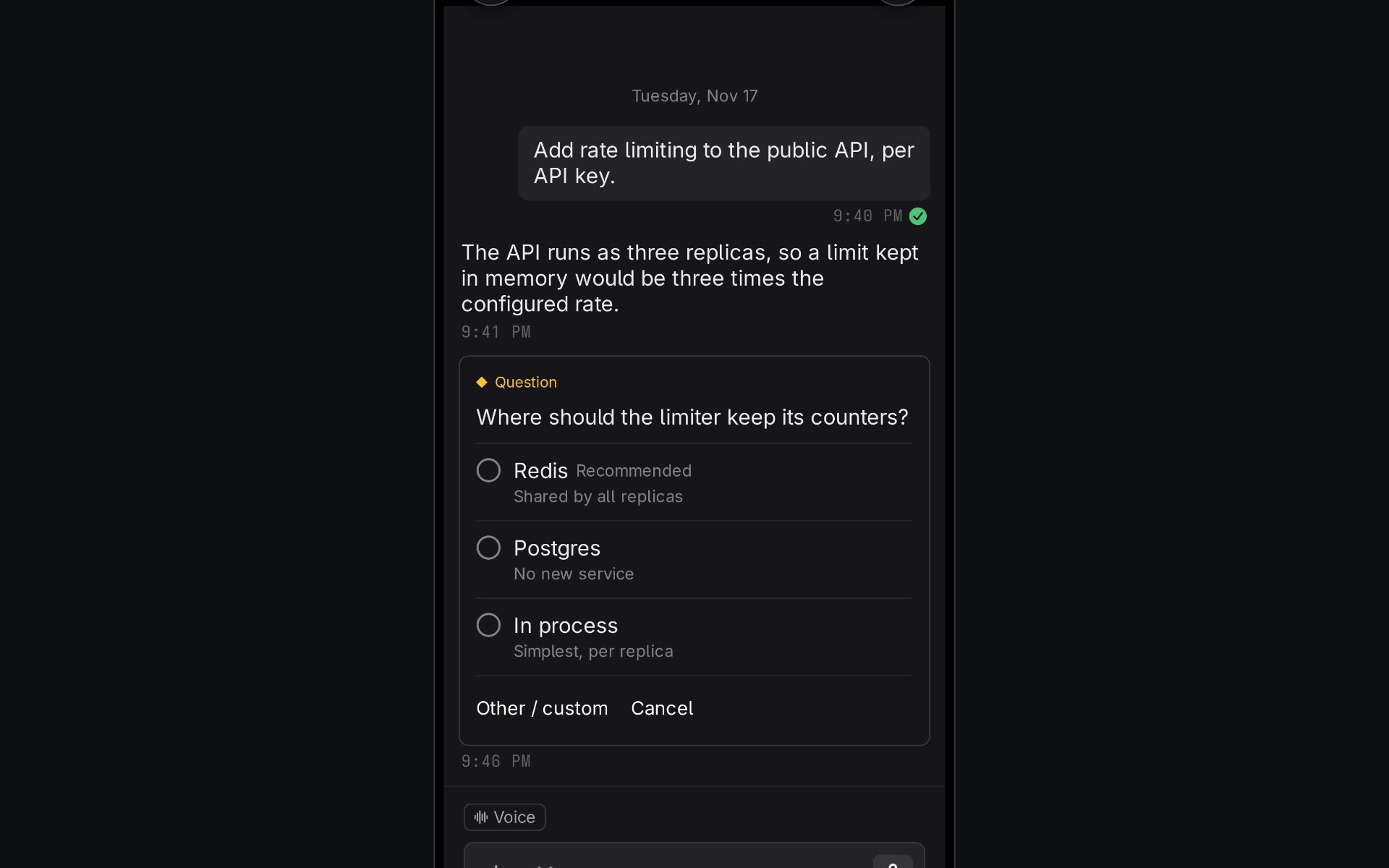
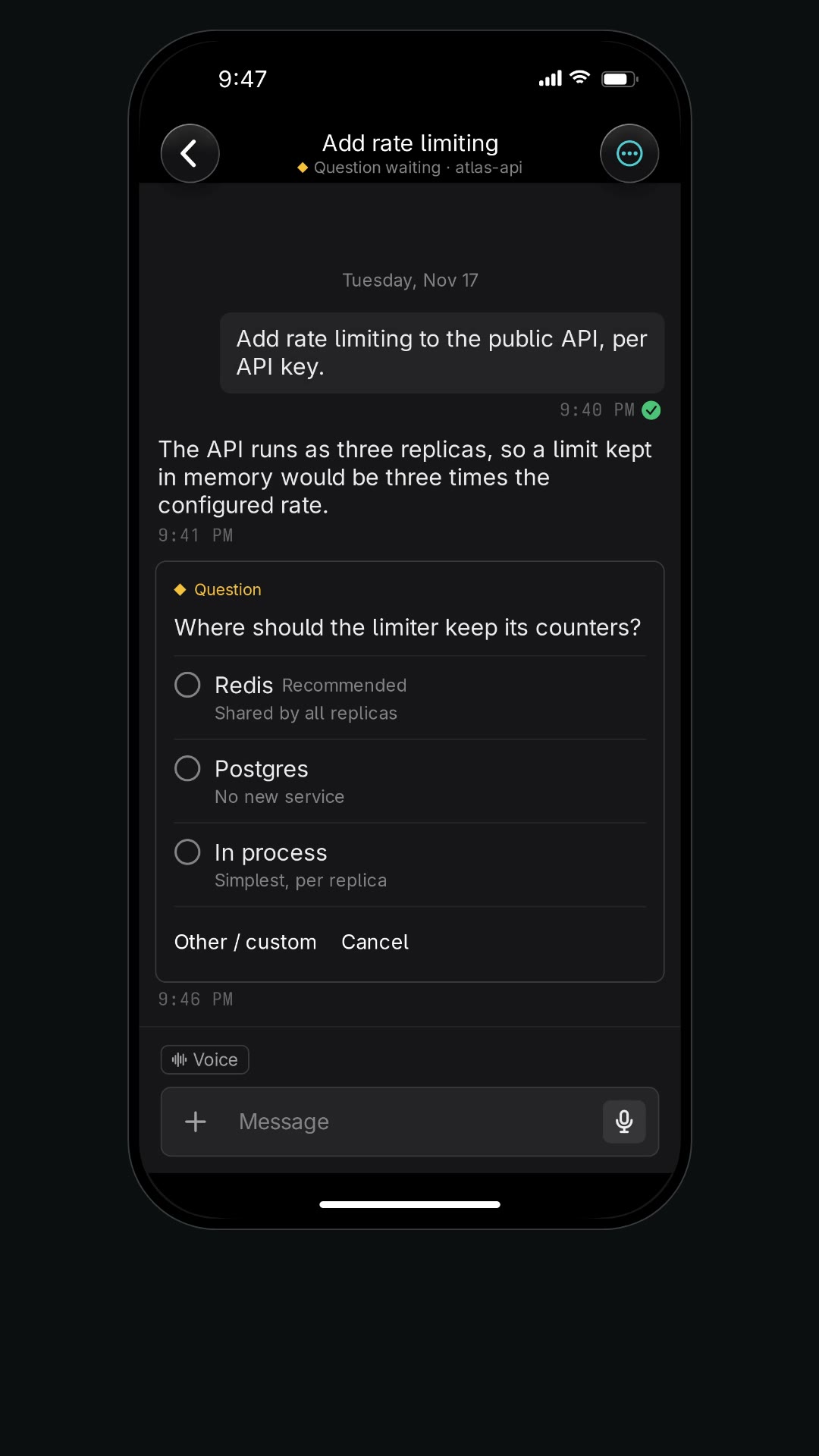
When Claude Code, omp, or OpenCode asks you something, the question shows on your phone as a card with its options. Tap one or type your own answer. It goes to that exact process.
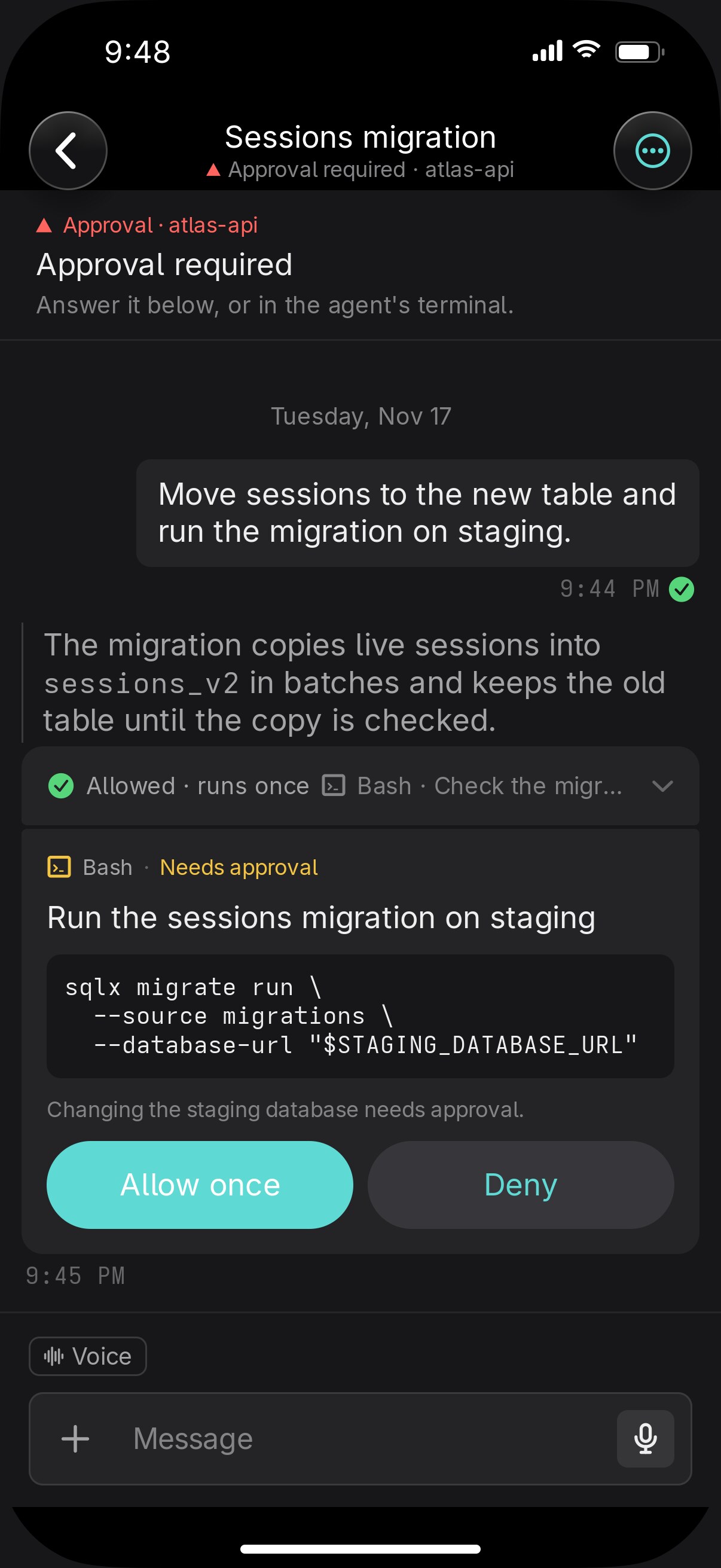
Claude Code's permission prompts arrive the same way. You see the command and why Claude wants to run it, then choose Allow once or Deny.
One conversation
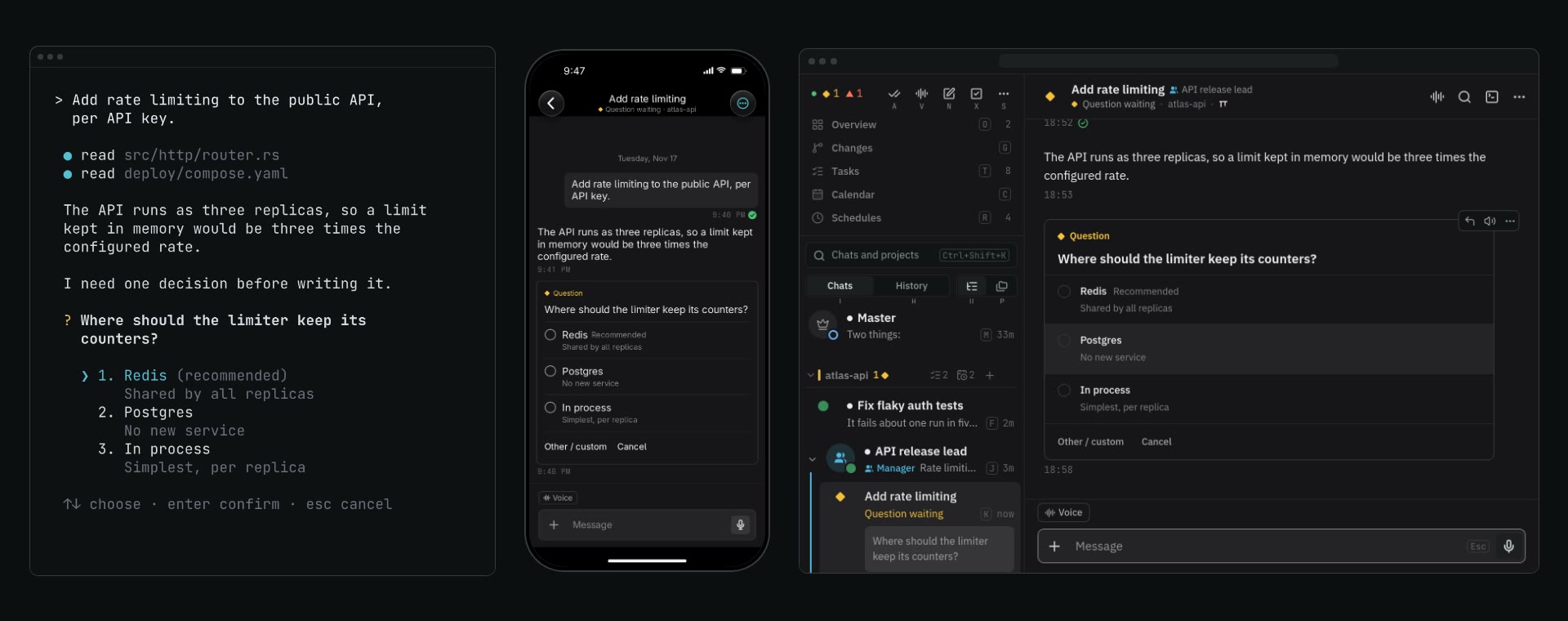
The agent runs on your computer the whole time, and the terminal, the browser, and the phone all show that one conversation. A prompt you type in the terminal appears in the chat. An answer you tap on the train is in the terminal when you sit back down.
Open whichever screen is nearest and keep going.
Voice
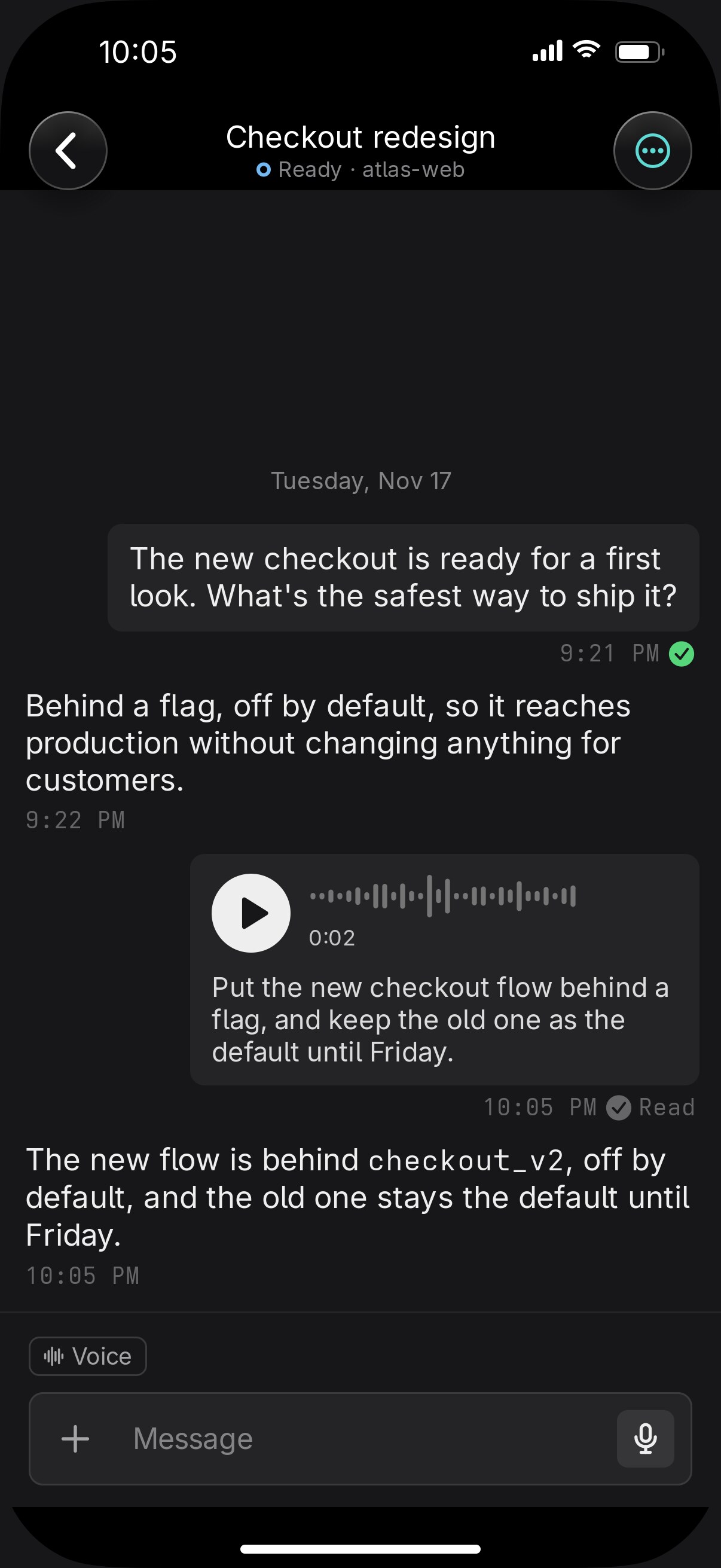
Hold the mic and say what you want. The agent gets your words as a prompt, and the transcript sits under your voice note. Tap Listen on any reply to hear it read aloud, with code and tables skipped.
Voice mode makes it a conversation: it sends when you pause, reads the reply, and listens again. Start it with the Master and ask what's blocked while you drive.

Marks
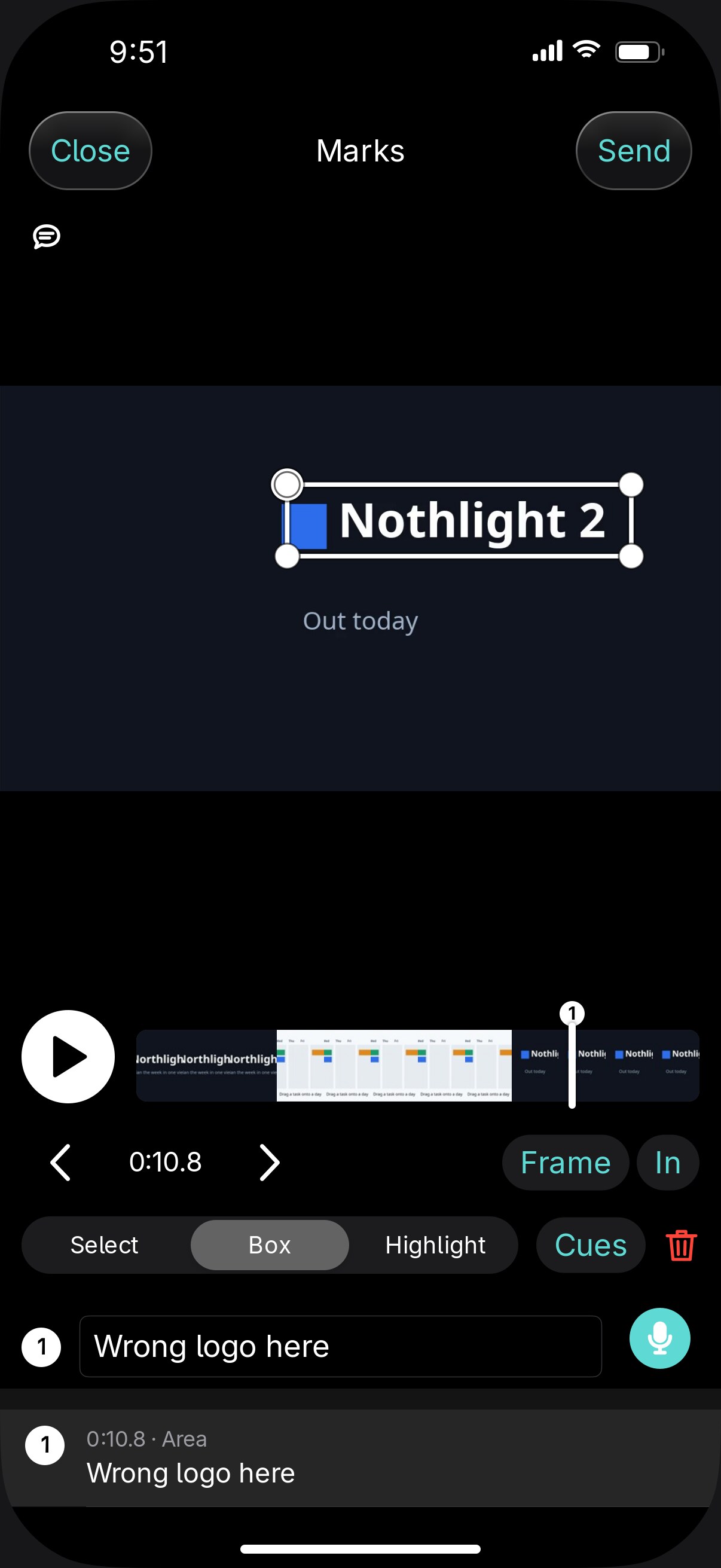
When an agent sends a video, scrub to the frame, draw a box on it, and say what's off. Mark an In and an Out to name a stretch. Open the narration and change a line to your exact words. The agent gets every mark numbered, fixes them, and sends the next cut.
Photos, audio files, and diffs take marks the same way.
Working
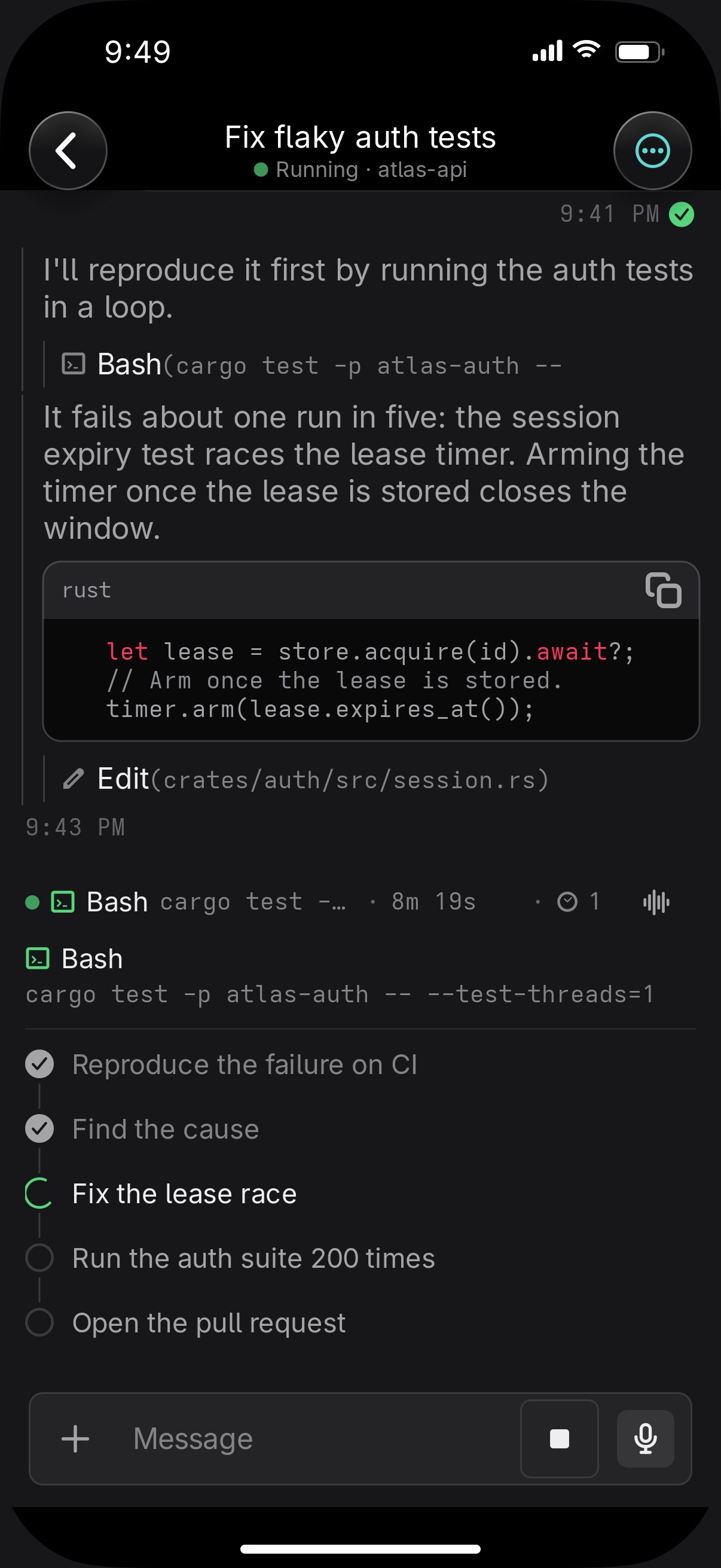
Above the message box, a line shows how long the agent has been working, the command it is running, and where it is in its own list: "3 of 7, writing the migration". Open it for the whole plan.
Your lock screen keeps count of the agents that need you and shows the question that has waited longest.
Running
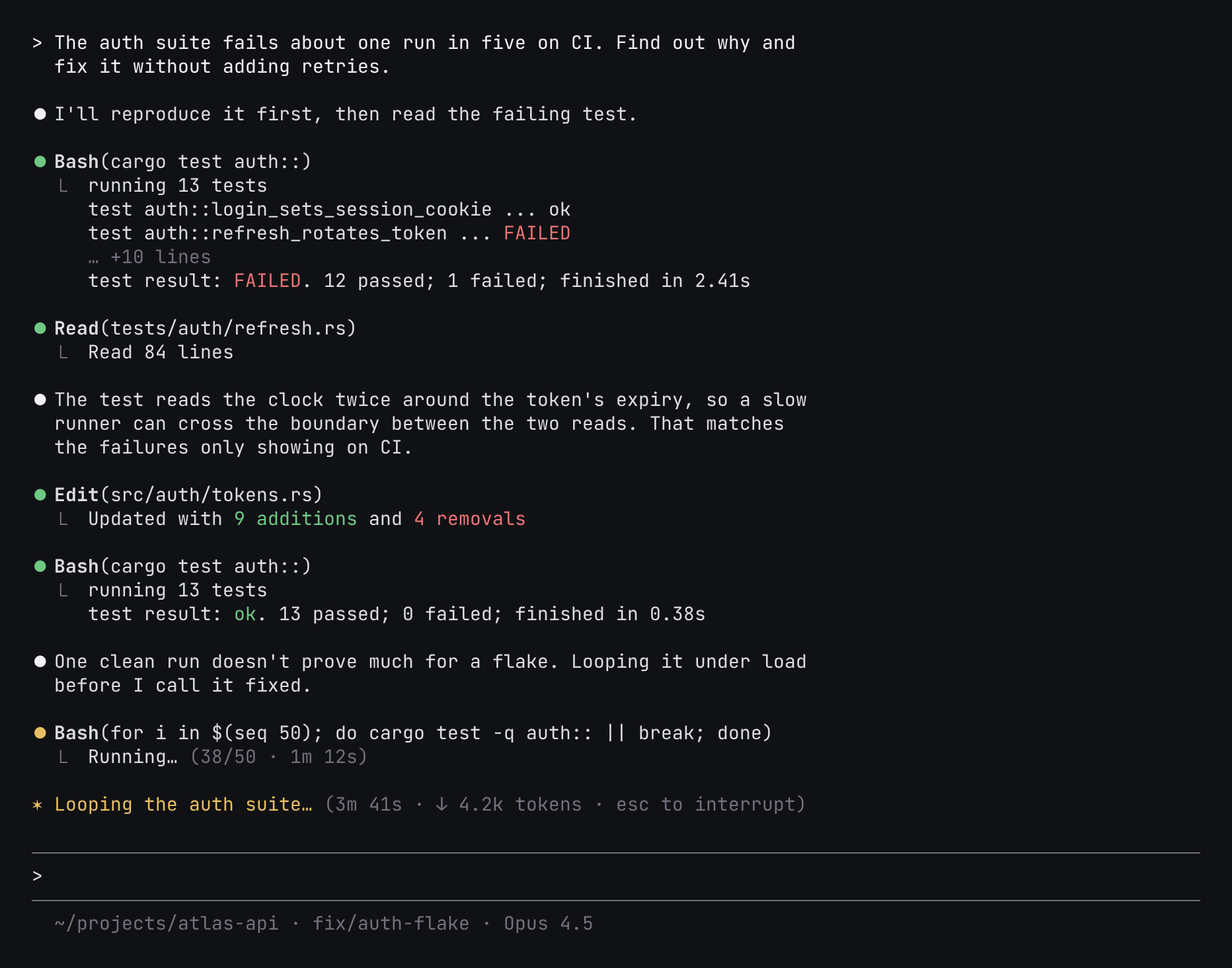
Your agents run in your own terminal, in tmux or outside it, with their own logins and settings. Vendetta finds them in the process list and reads what they report. It never wraps them or replaces their interface.

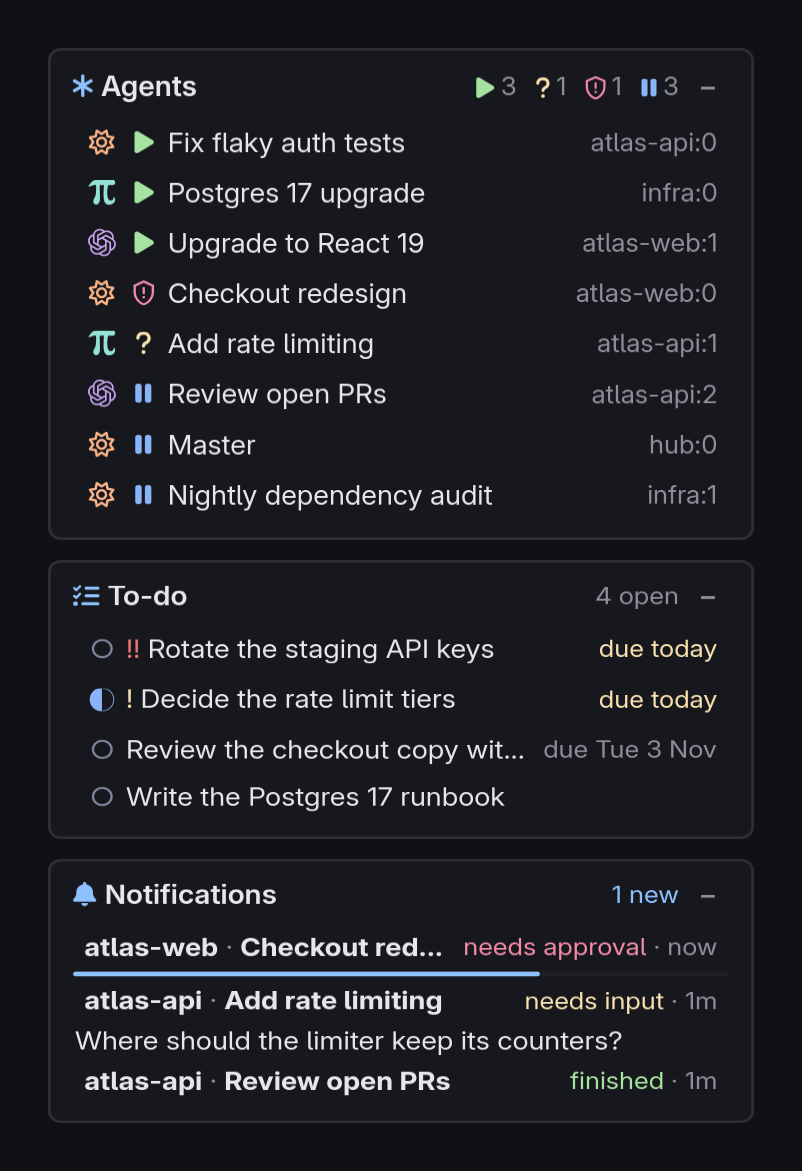
An agent can answer with a checklist, a comparison, or a form that opens in the chat and sends your choices back.
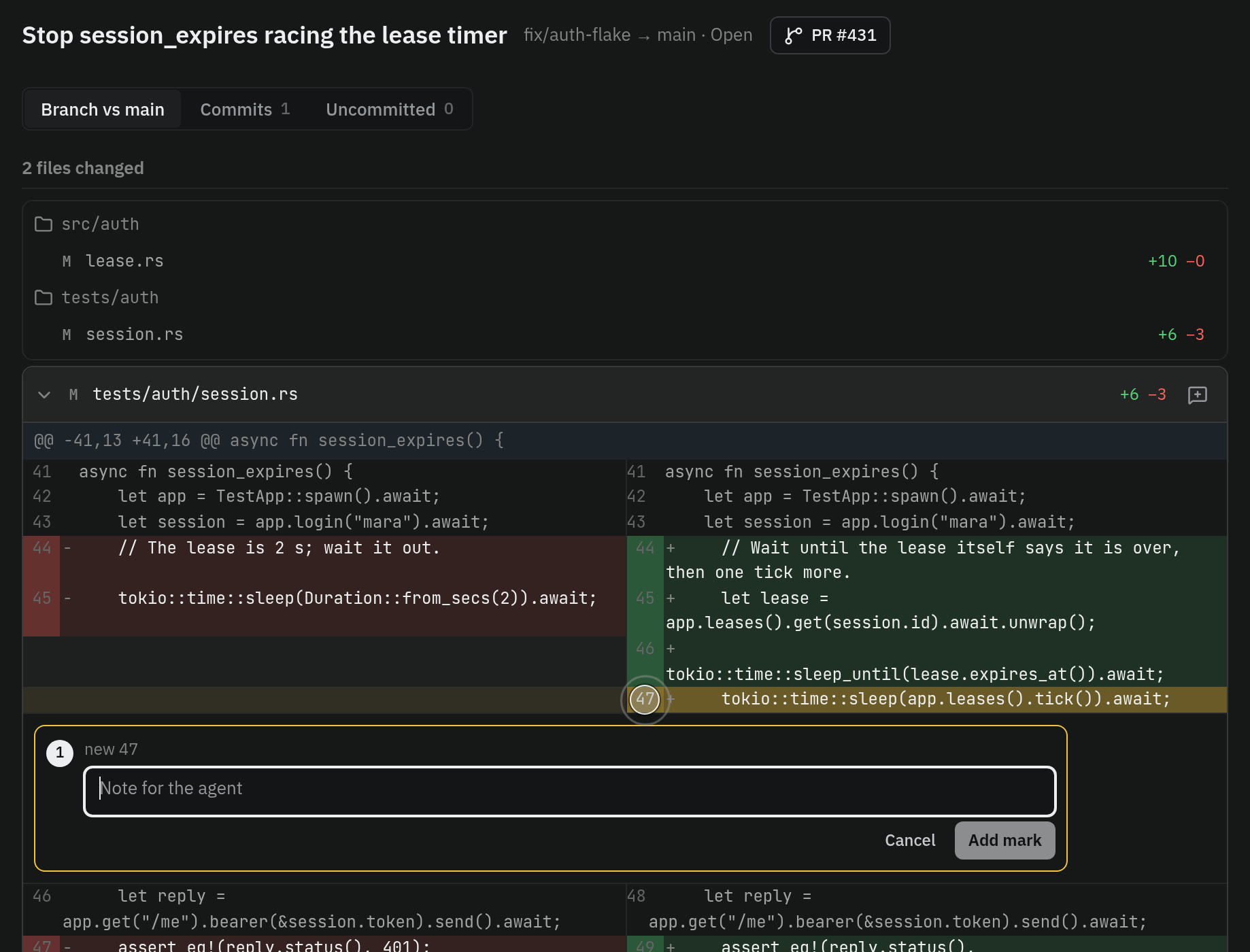
Committed work shows as a change. Mark a line and the agent gets your comment.
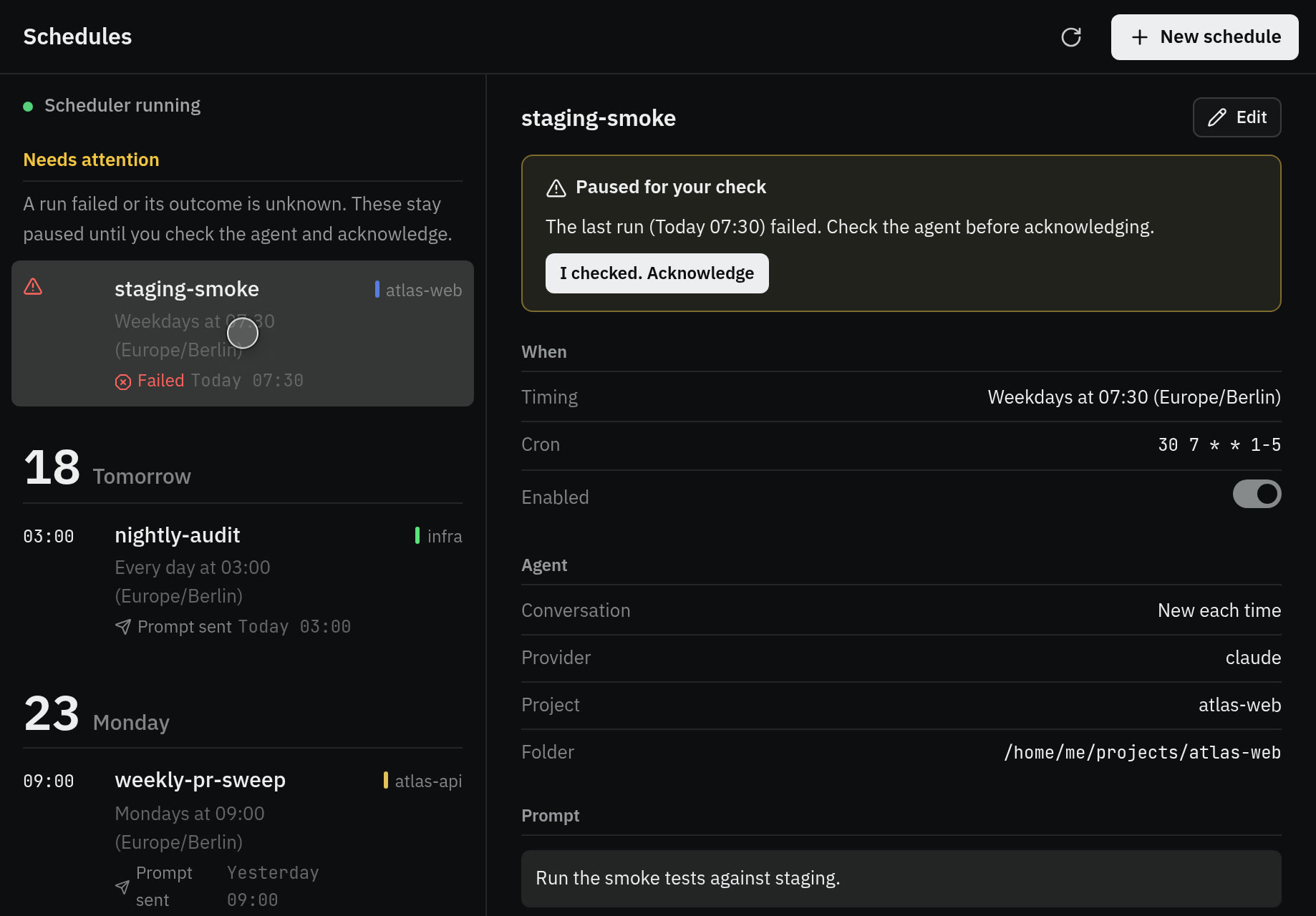
Every night, once on Friday, or when a webhook calls. Each run is recorded, and a failed one stops until you look.
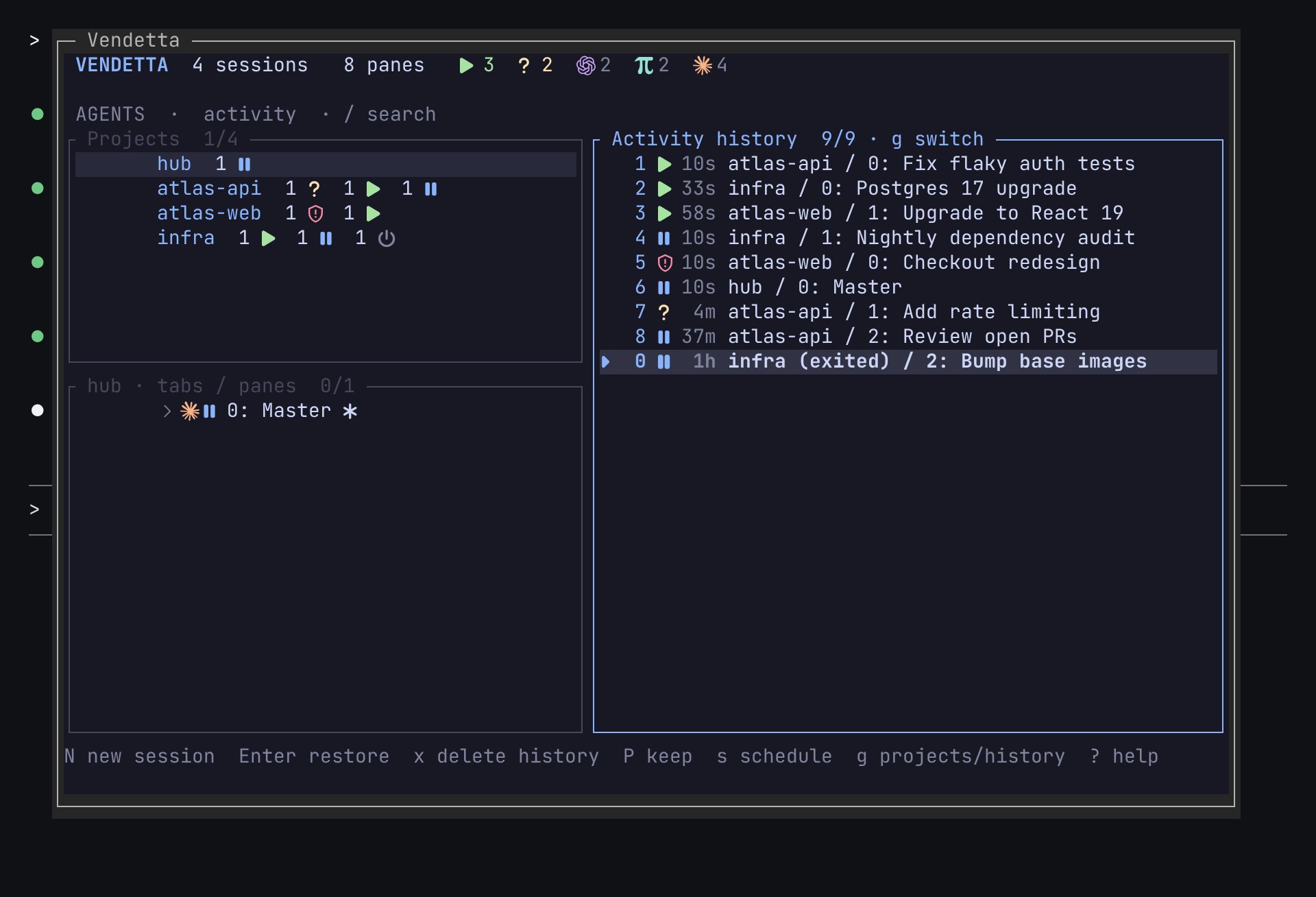
Ended conversations stay listed. Enter, or a message in the chat, restores the exact one.

An agent on your computer can ring your phone in 20 minutes or count down a break. You hear it even with notifications muted.
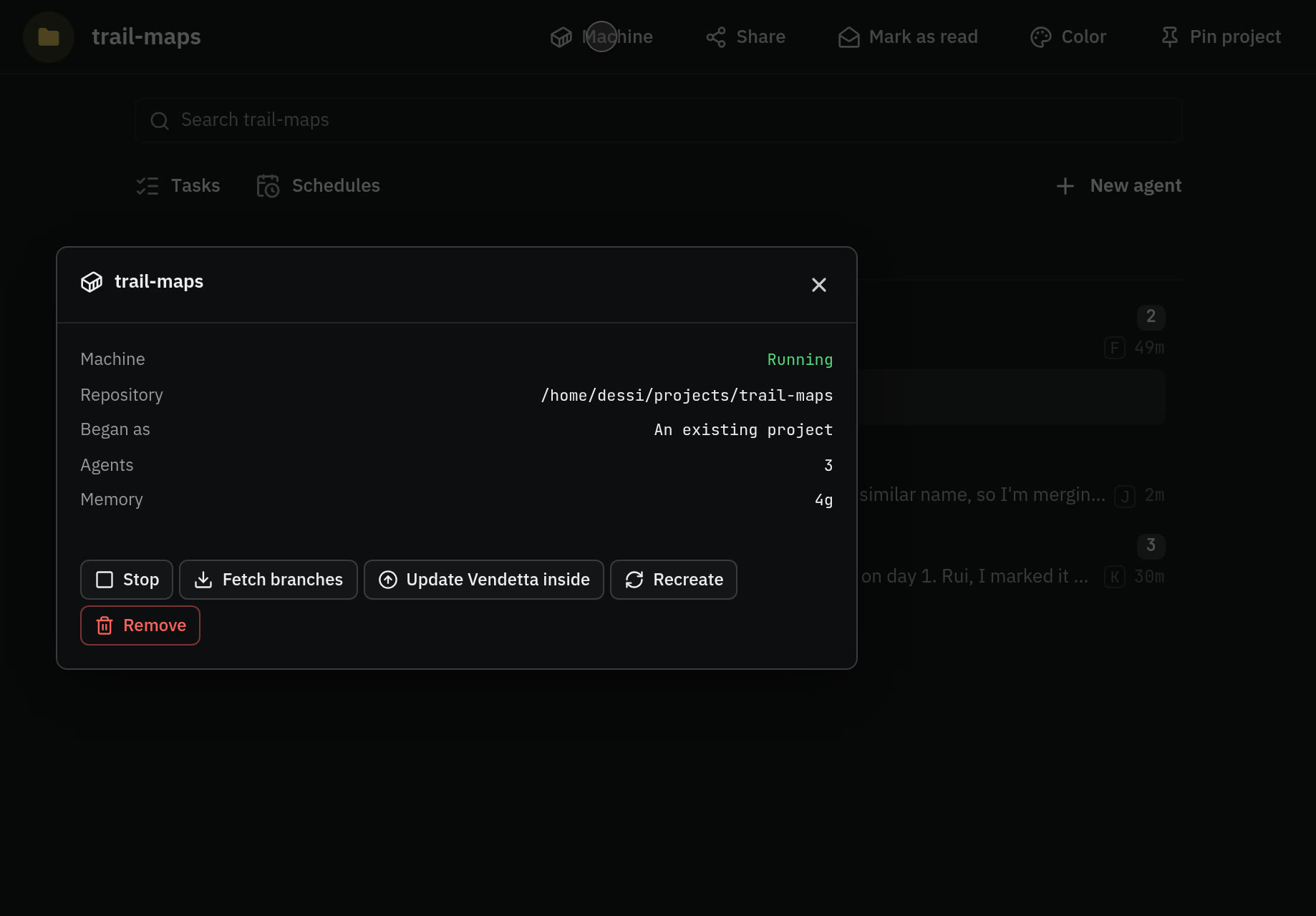
Run a project's agents in a container on a private clone of the repository.
The Master is an agent you trust to list the others, read their replies, give them work, and answer their questions. Ask it what is blocked while you walk the dog.
A manager does the same for one project. Its team sits under it, and it tells you what you need to know. Approvals never go to either. Those stay with you.
call("hello", {"plugin": "notes", "protocol": 1})

call("ui_set_contributions", {"contributions": [{
    "id": "note", "slot": "chat_menu",
    "label": "Add note", "on": {"action": "note"}}]})

call("ui_set_page", {
    "page": "notes", "title": "Notes", "root": "top",
    "nodes": {
        "top": {"kind": "list", "children": ["n1"]},
        "n1": {"kind": "row", "title": "Ship it"}}})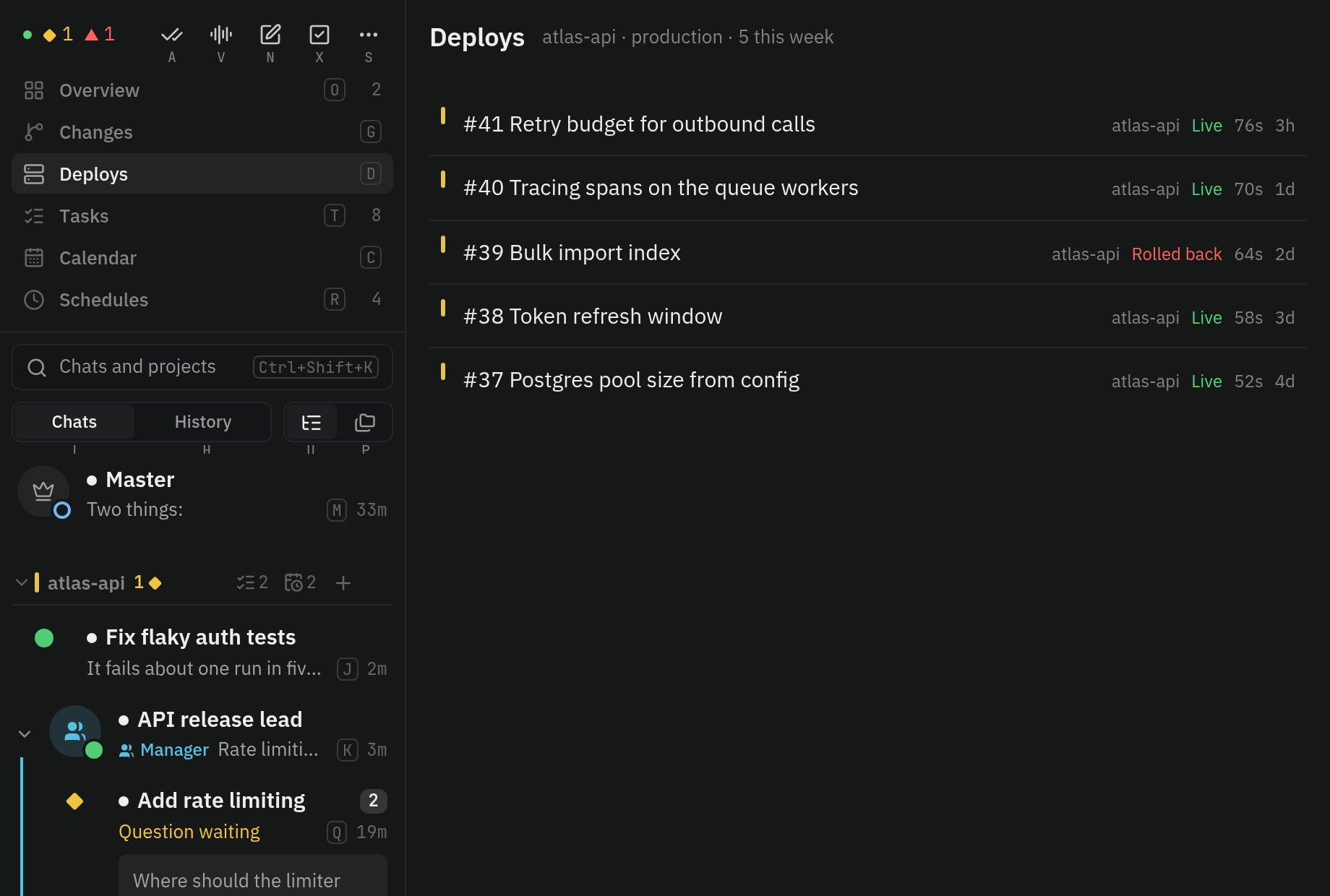
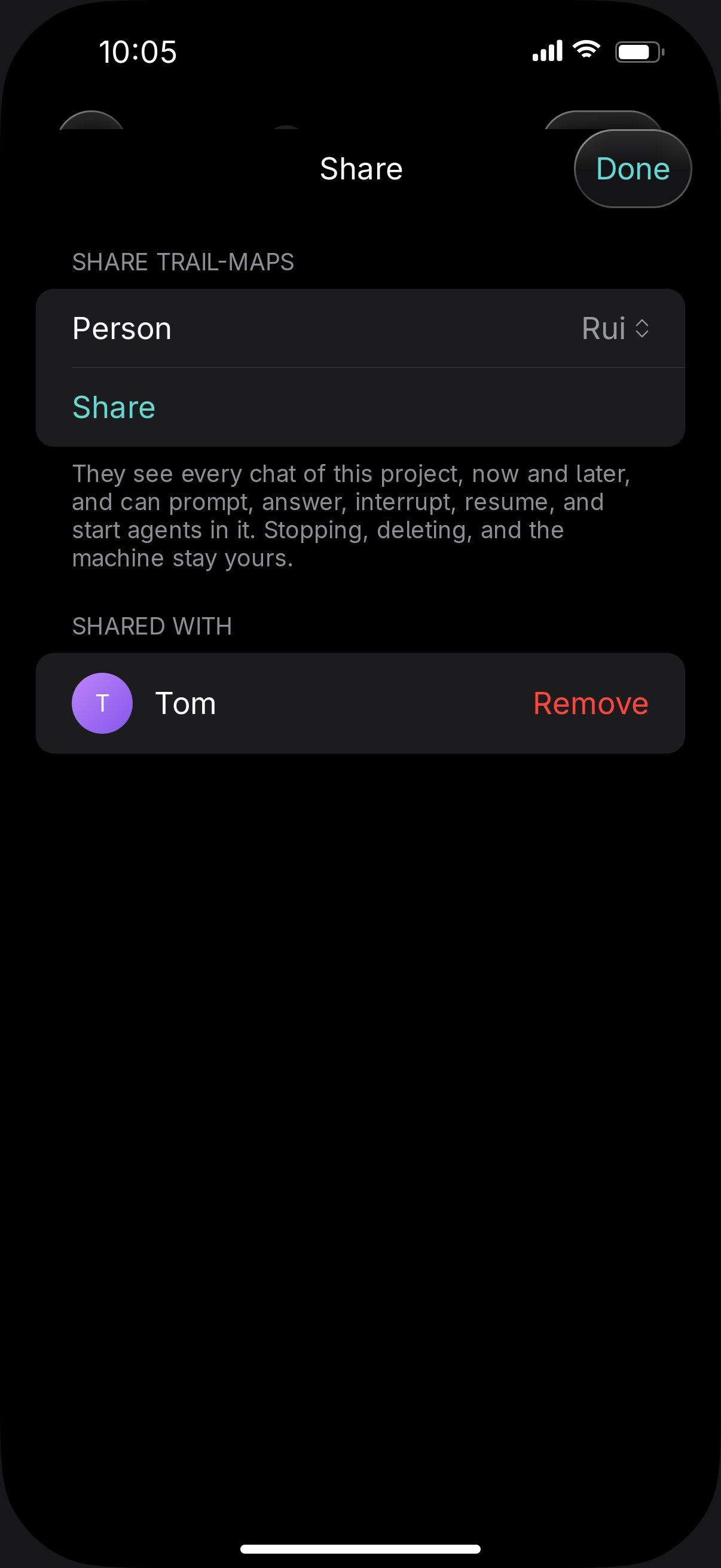
Share a project with someone and you both prompt its agents, answer their questions, and start new ones, each from your own phone. Every message says who sent it, and the agent answers that person. Stopping and deleting stay with you, and you can end the share whenever you like.
The people you add get a Vendetta of their own on your computer, with their own chats and their own Master. You don't see their chats and they don't see yours, apart from what you share.
Their app starts in Simple mode: their chats, by project, and nothing about models or providers. One switch in Settings shows everything.
Nothing listens on the network until you publish it, and then only paired devices connect. The history Vendetta keeps holds states and times. It never stores your prompts, the agents' messages, or tool arguments.
Data leaves your machine only through what you turn on, such as a Telegram bot or a transcription provider. What goes where
On your computer
Leaves it only when you turn it on
| Provider | Live state from | Replies in chat | Questions as buttons | Start and resume |
|---|---|---|---|---|
| Claude Code 2.1.296+ | Native Mod | From its transcript | Yes | Yes |
| Codex | Hooks, or its rollout files | From its transcript | No | Yes |
| omp | Extension | From its transcript | Yes | Yes |
| OpenCode | Plugin | Terminal snapshot | Yes | Yes |
| Gemini CLI | Hooks | Terminal snapshot | No | Listed when you start it |
| Aider 0.86.2 | The vendetta-aider launcher | Terminal snapshot | No | Listed when you start it |
On macOS, omp and OpenCode agents are listed but report no state yet.
Vendetta is open source under AGPL-3.0, and you run it on your own computer. The hosted version is for people who would rather not keep one on.
You need Linux or macOS and a Rust toolchain. Then pair your phone: vendetta app pair.
$ git clone https://github.com/vendetta-sh/vendetta.git
$ cd vendetta && bash install.sh
$ vendetta notify start
$ vendetta tuiNo. Agents in any terminal are listed and can be messaged, stopped, and scheduled, and Claude Code, omp, and OpenCode take prompts natively. tmux adds pane navigation, live terminal previews, and managed agents, and Codex, Gemini, and Aider need it for remote prompts. Without a host
Nothing, until you turn something on. Telegram and Discord see what those chats show, a transcription provider gets your voice notes, and ntfy and push get alert text. The apps connect to your own machine.
For Claude Code, yes, in the iPhone app or the web client. The chat shows a card with the command or edit and why Claude asks, with Allow once and Deny. Other providers, and a subagent's dialog, you approve at the terminal, which the chooser can reach over SSH.
Yes, on TestFlight. The web client works on any phone.
It gets your message as a normal prompt, the same as typing it. Vendetta doesn't interrupt the turn, and a refused message is never replayed later.
No. It is optional, and nothing else depends on it.
Its integration isn't loaded. Install it, and restart the agent or trust its hooks. Provider integrations