Everything Vendetta does
Grouped by where you are: at your desk, away from it, with other people, on a schedule, and what you can add with plugins.
At your desk
The chooser and the overview live in your terminal. The HUD and dictation sit over your windows.
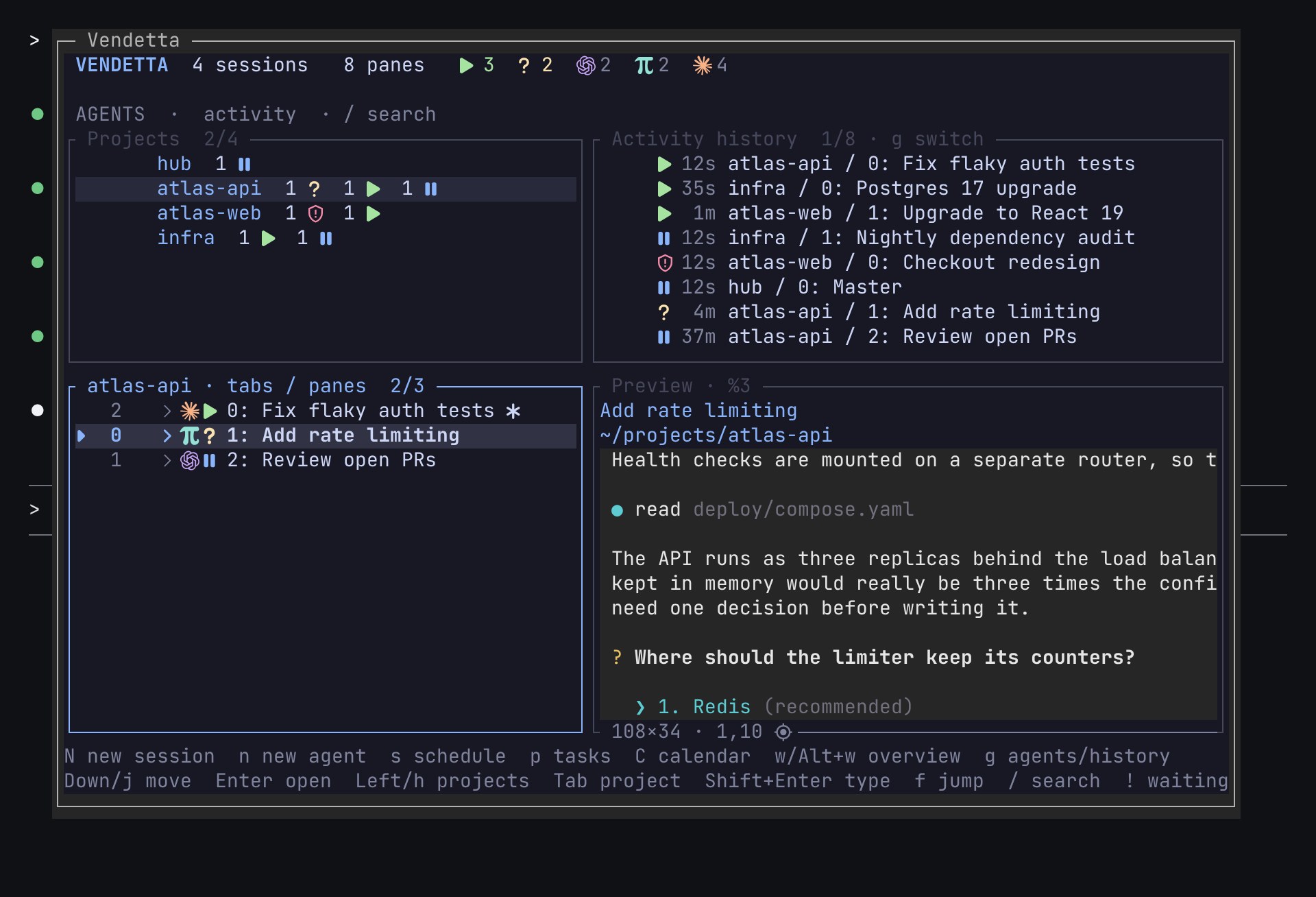
The chooser
vendetta tui, or a key you bind in the config, lists your projects with how many agents wait, work, and are ready. Every row has a jump hint, and one more key takes you to that agent.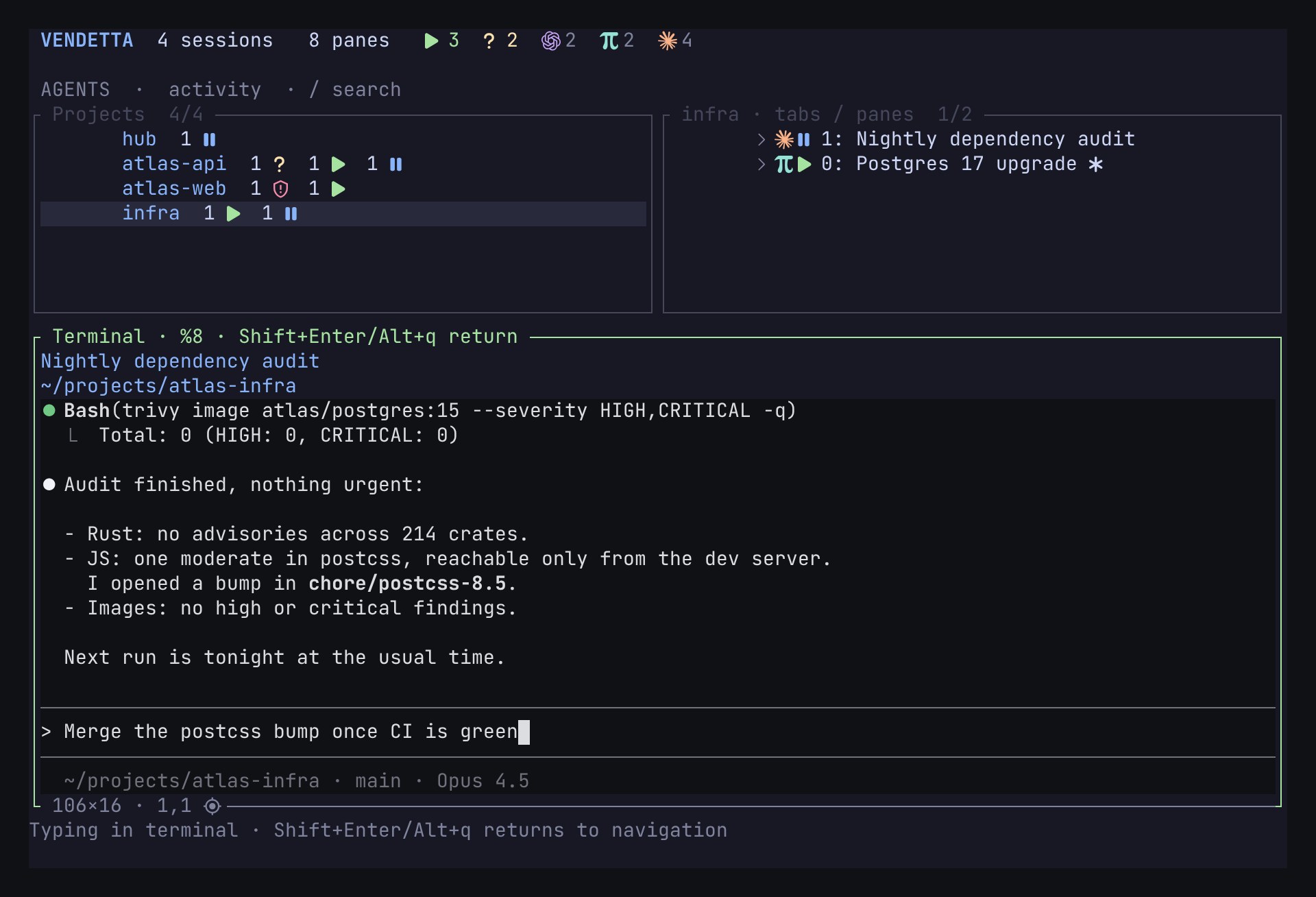
A preview you can type into
The selected agent's terminal shows live beside the list. Type into it without leaving the chooser.
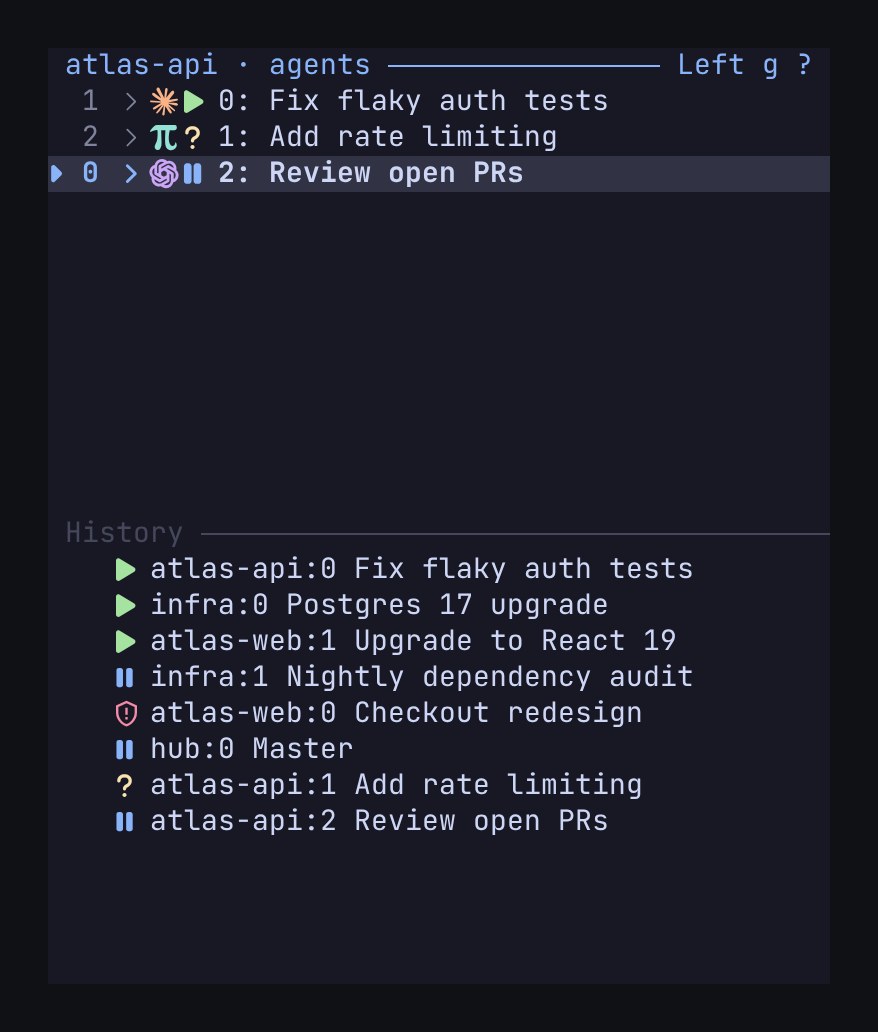
Compact mode over SSH
Below 100 columns the chooser drops to a compact layout, down to 20×6. It works over SSH from a phone.
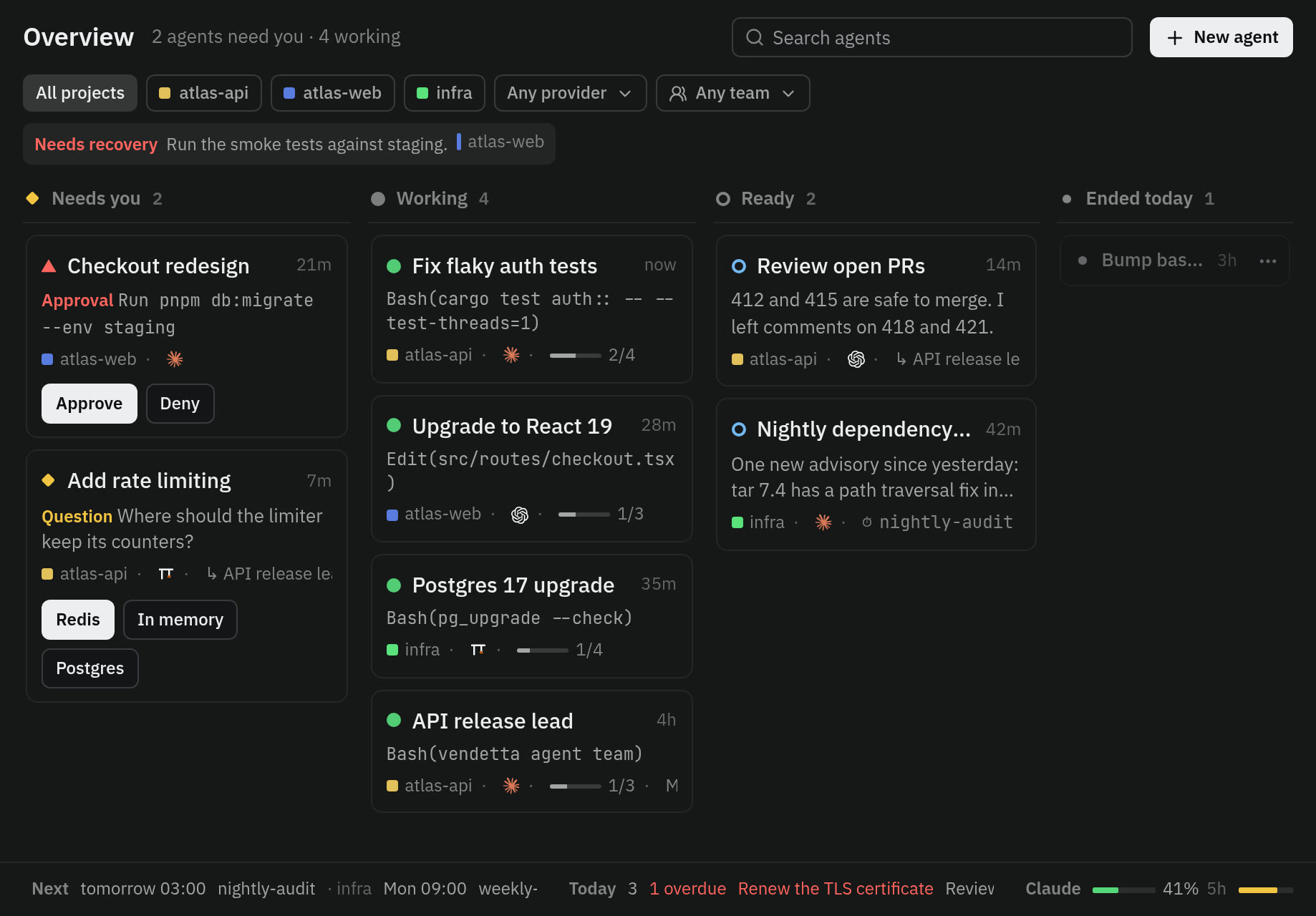
The overview
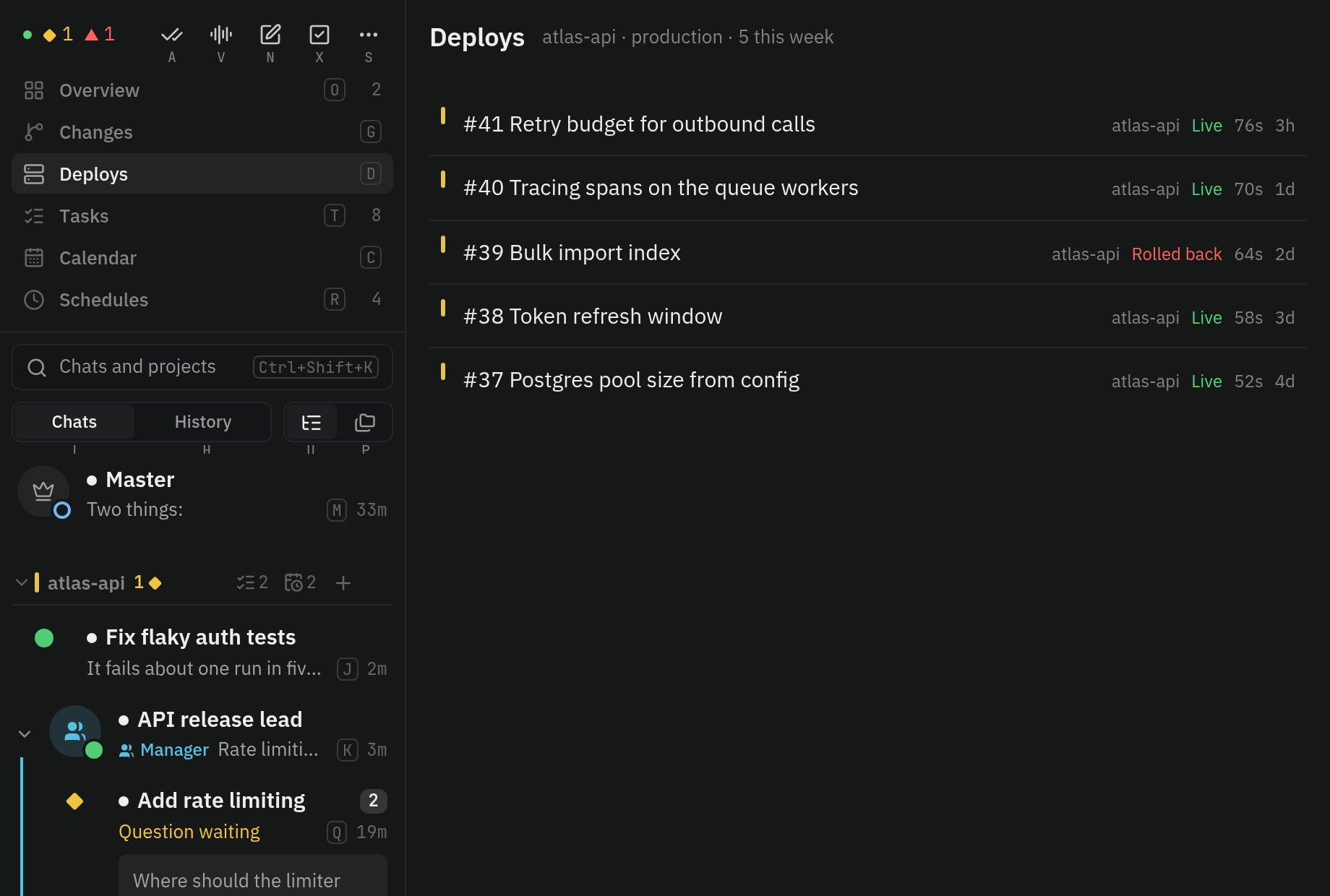
Every agent in lanes: needs you, working, ready, ended today. Answer a question or an approval on its card.
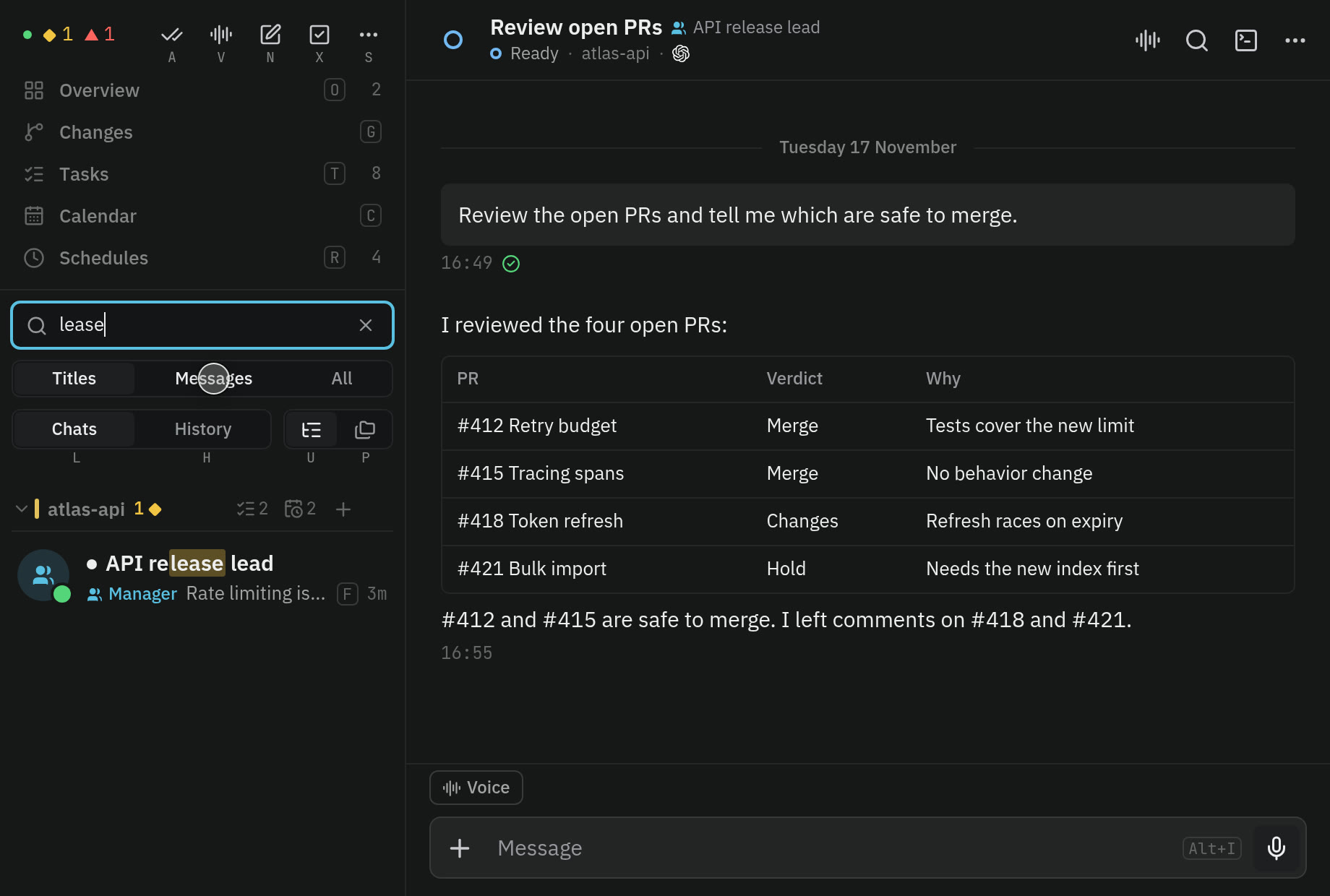
Search, filters, and bulk actions
Search across names, paths, providers, and states, or filter to the agents that need you. Select several agents and act on them together.
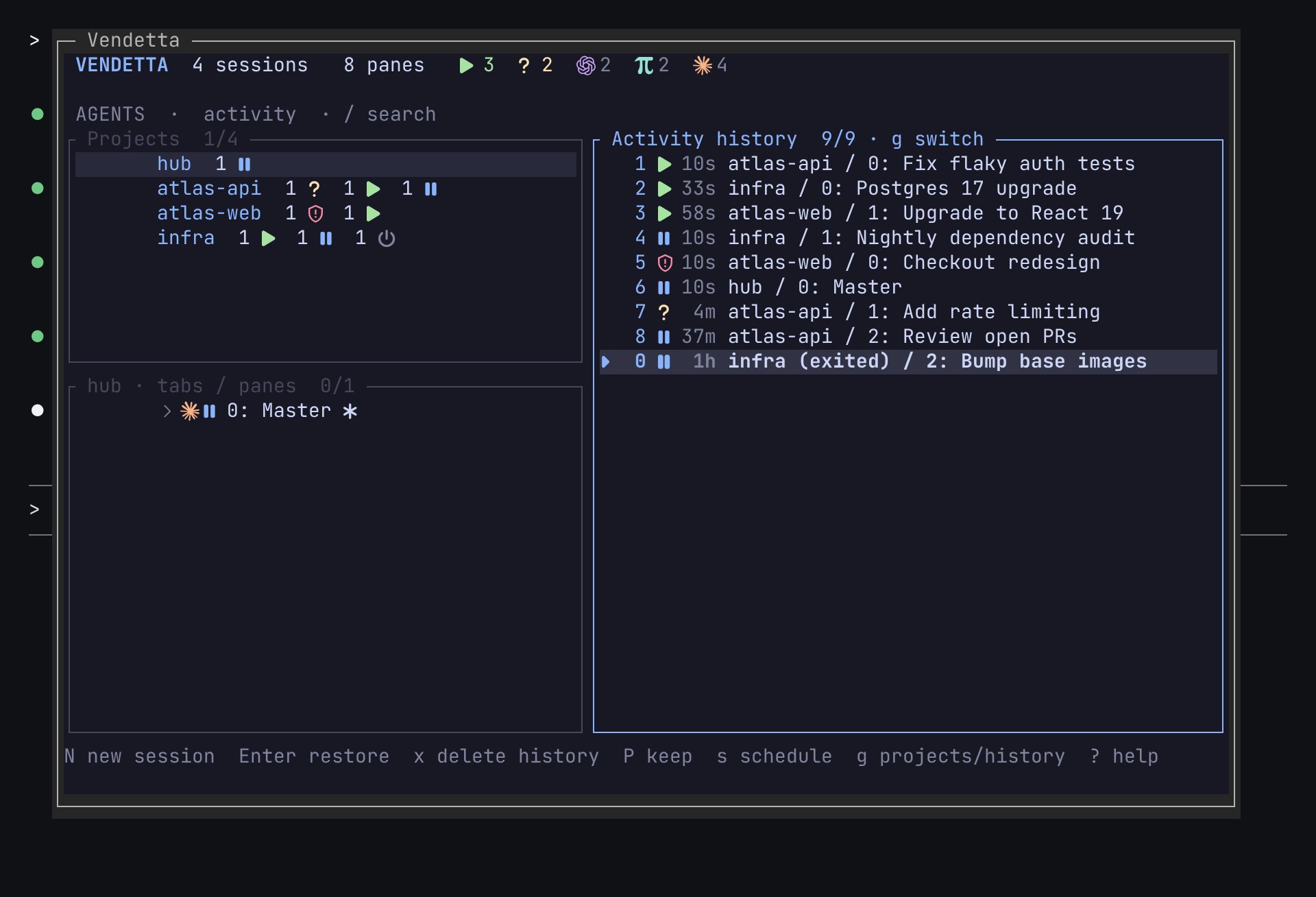
Restore
Ended conversations stay listed for a week. Enter, or a message in the chat or topic, restores the exact one.
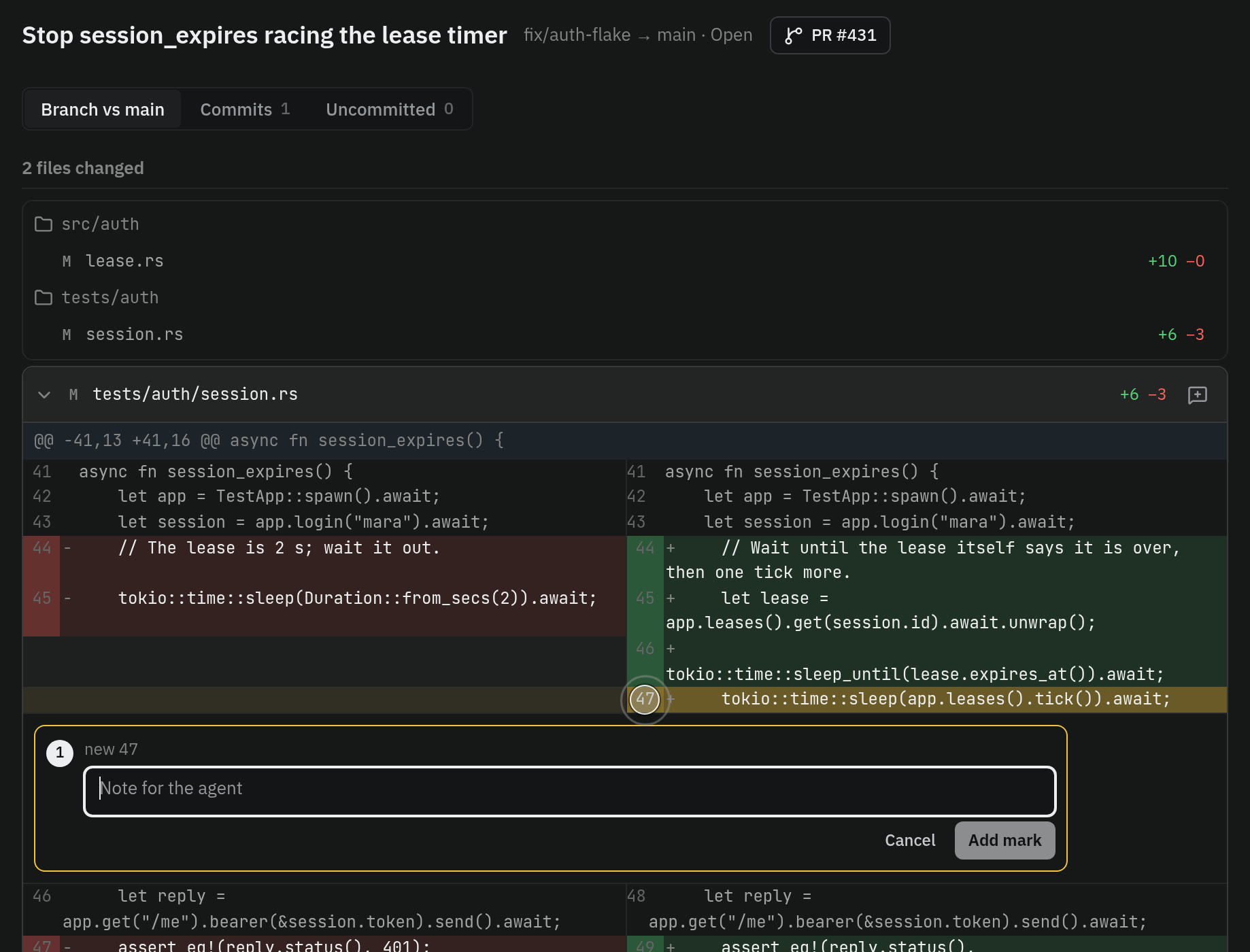
Changes
Committed work shows as a change with its revisions and merged state, as a unified or side-by-side diff. Mark a line, a range, or a file, and the comment follows the code as it moves.
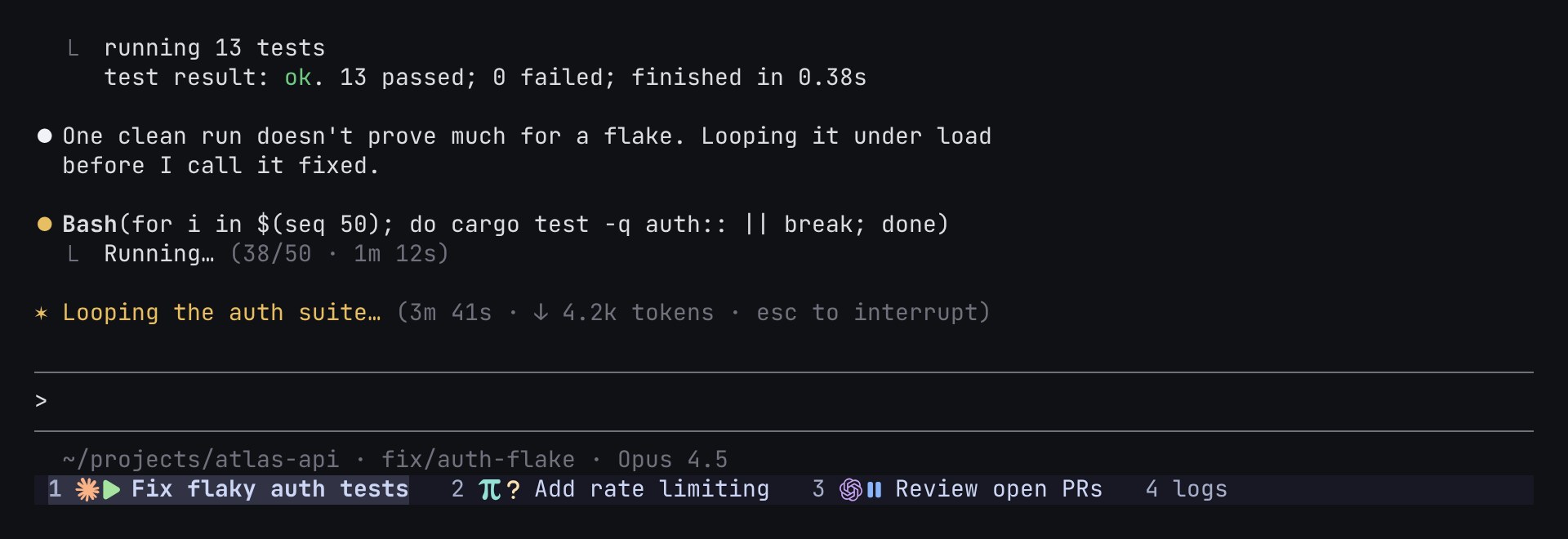
Agent states in tmux tabs
Each project gets an Agents tab, and tab labels carry each agent's state in the tmux status bar. They show over SSH too.
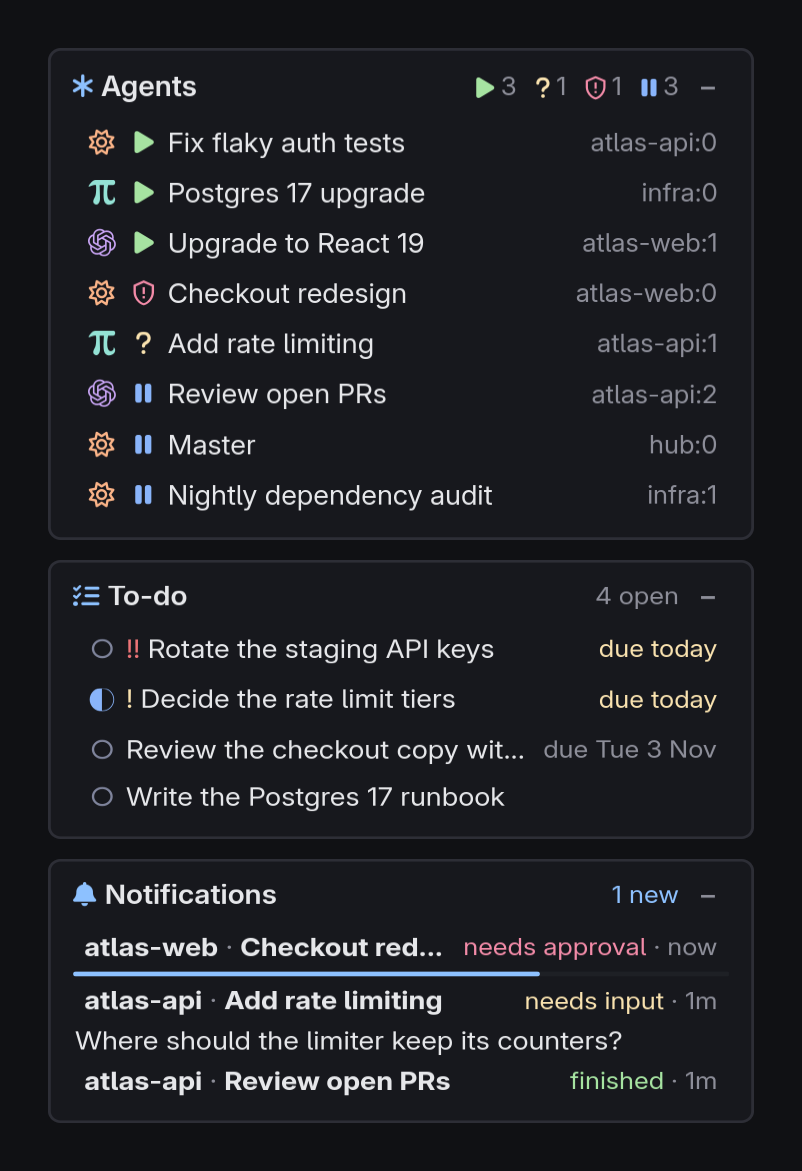
Desktop HUD
Cards over your windows for agents, to-dos, and alerts. They never take the keyboard.
Dictation
Press a key and talk, and the words go to the agent in the focused window, or are pasted where there is none. A second key sends to the Master. On macOS dictation always pastes.
Layouts and keys
Arrange the chooser's panels, or keep every project in one tree. Every key can be rebound.
Away from it
Every agent is a chat on the iPhone and in a browser. Telegram and Discord carry the same conversations.
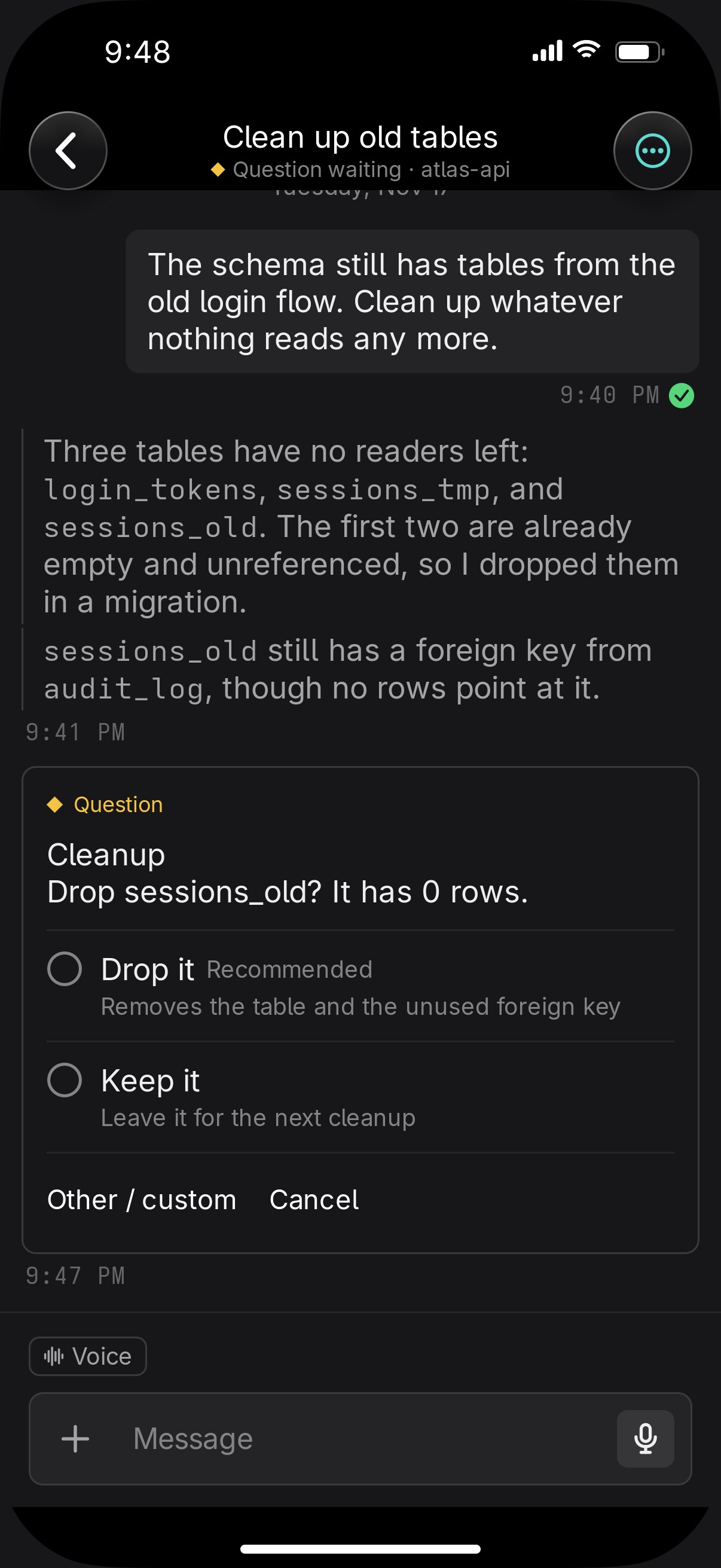
Questions as cards
Single or multi-select with a recommended option, steps with a review page, your own answer, or a note. The answer goes to that exact process.
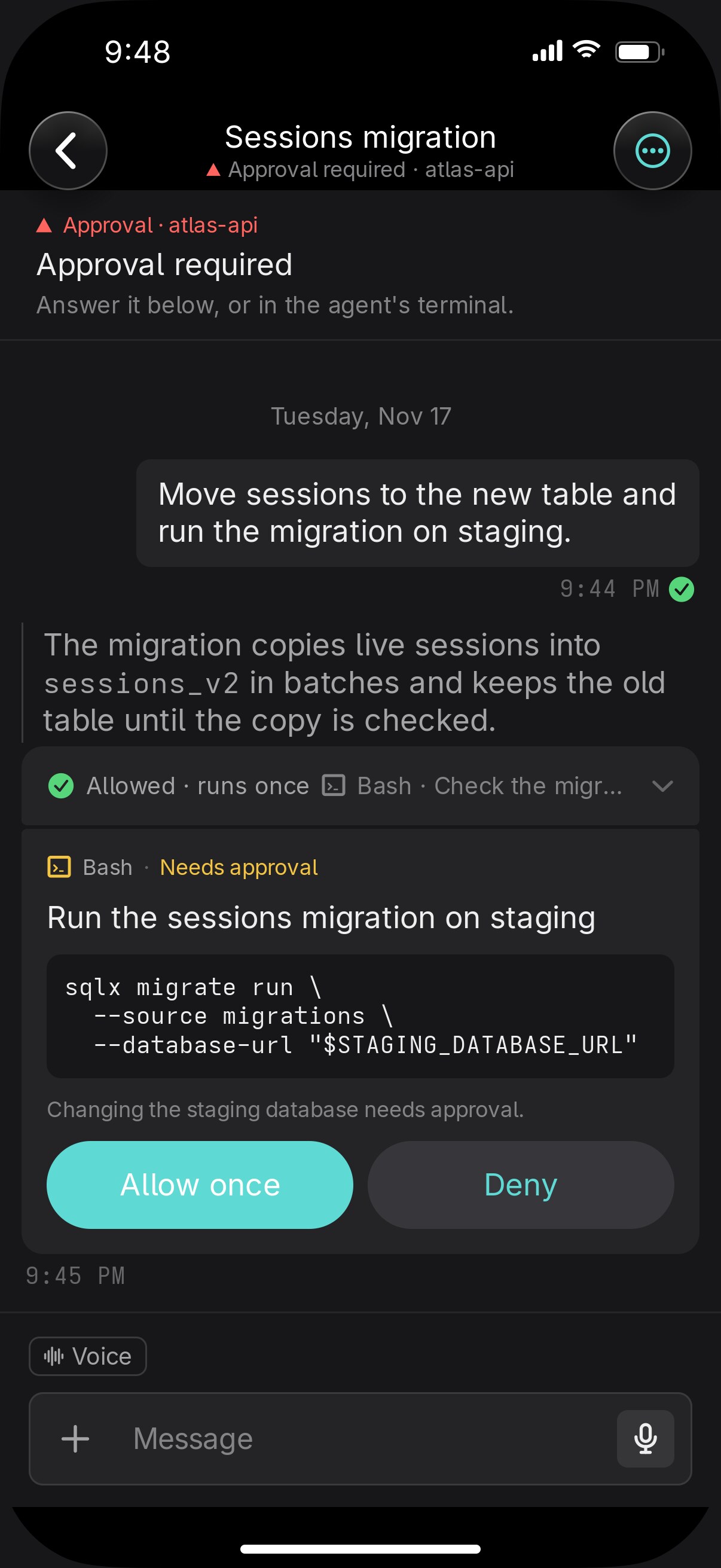
Approvals
Claude Code's permission dialog arrives with the command, the reason, and its own buttons. Only you answer it.
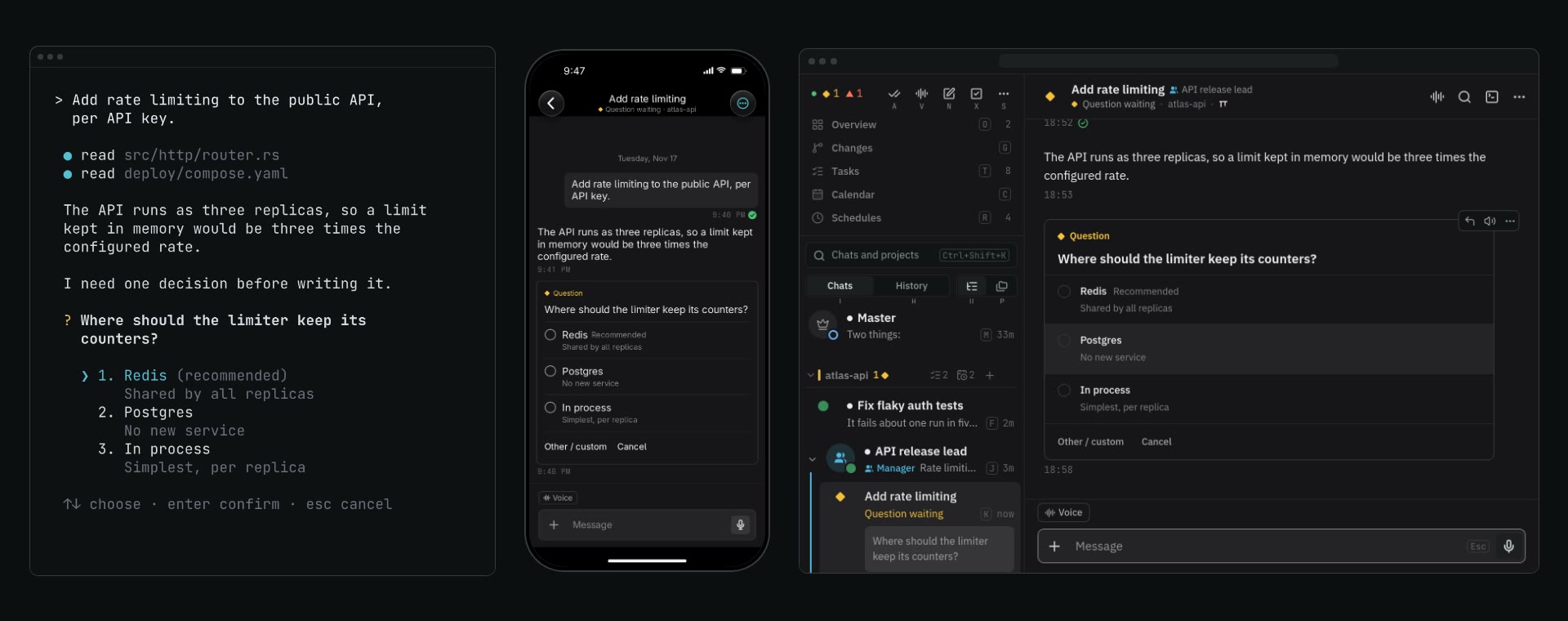
One conversation on every screen
The terminal, the browser, and the phone show the same agent, and a prompt from one appears in the others. Delivery marks say Waiting, Read, or Not delivered.
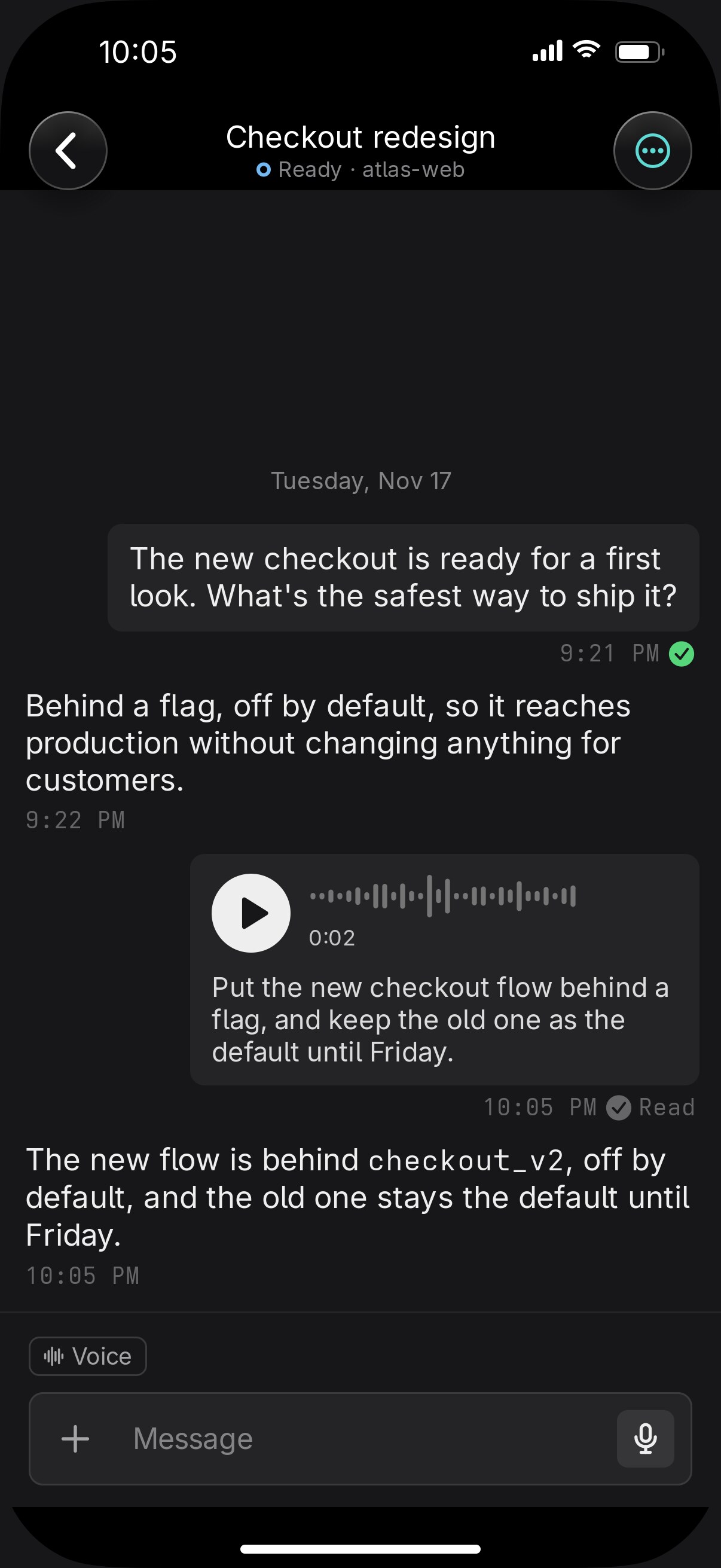
Voice notes
Hold the mic and release to send, slide left to cancel, or slide up to lock and keep talking. The transcript shows under the waveform, and a note that fails is kept with Retry.
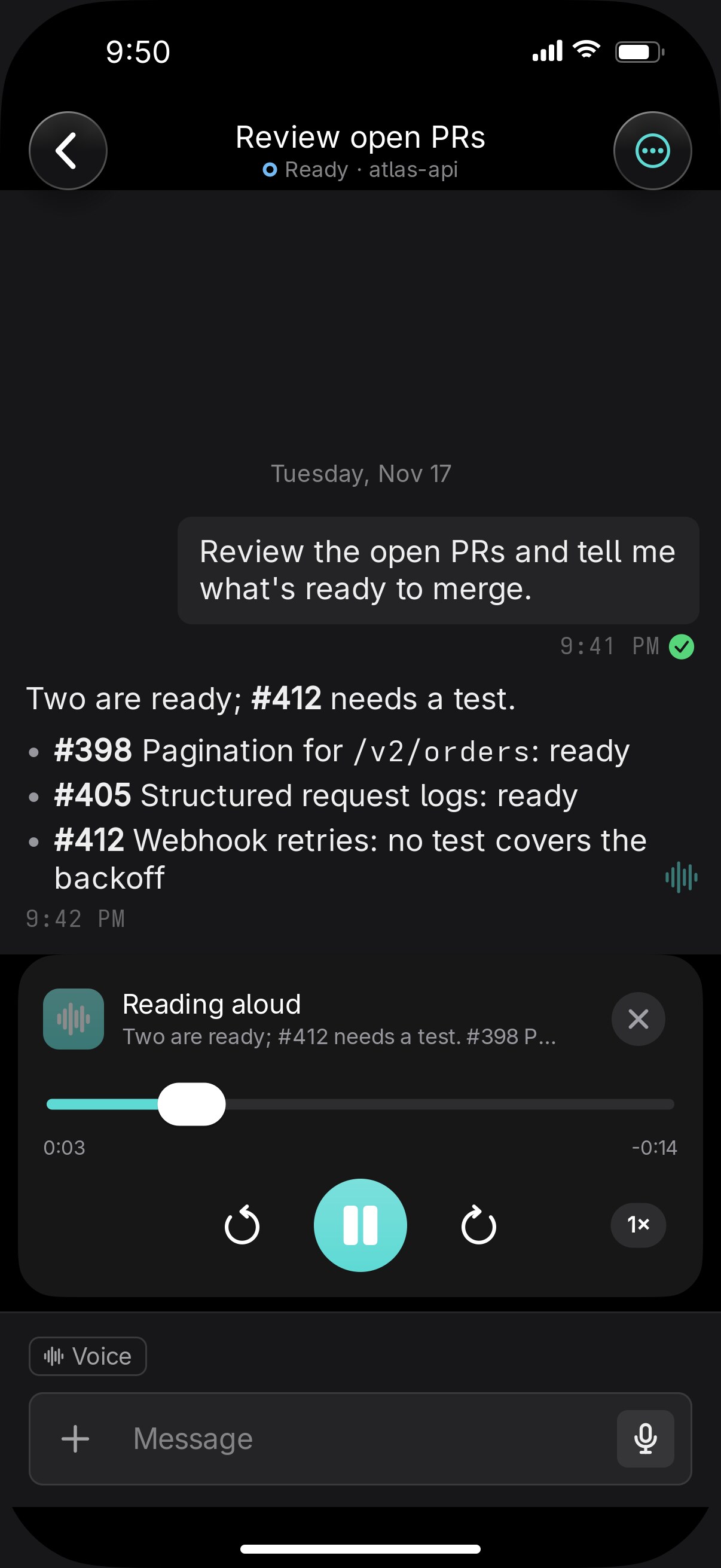
Listen
Any reply read aloud, skipping code, tables, and thinking. A player bar pauses, jumps 15 seconds, and speeds up to 2×.
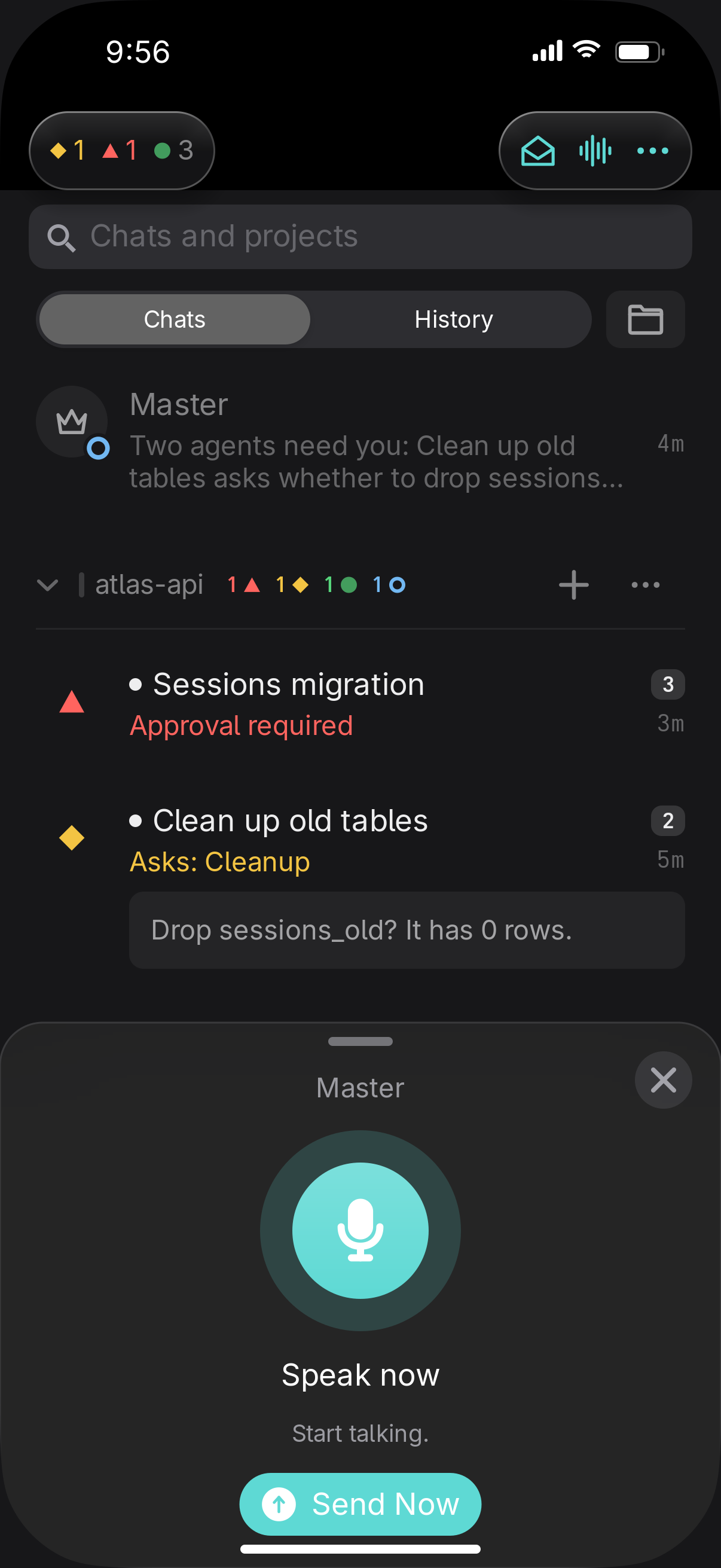
Voice mode
A hands-free conversation. It sends when you pause, reads the reply, and listens again. Talk to Master starts it with the Master.
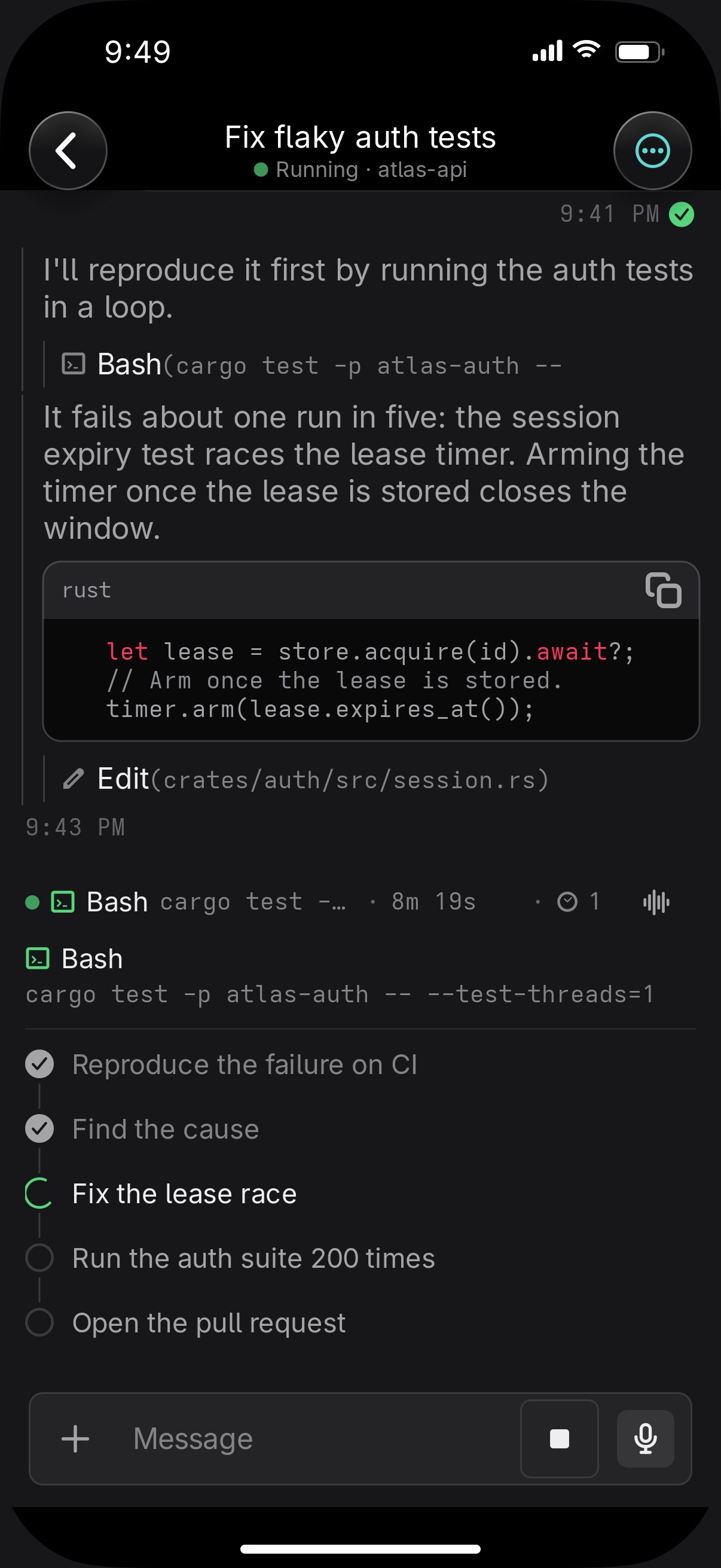
The working line and the plan
Above the composer: elapsed time, the tool call running now, and the step it's on. It opens to the agent's own todo list, live.
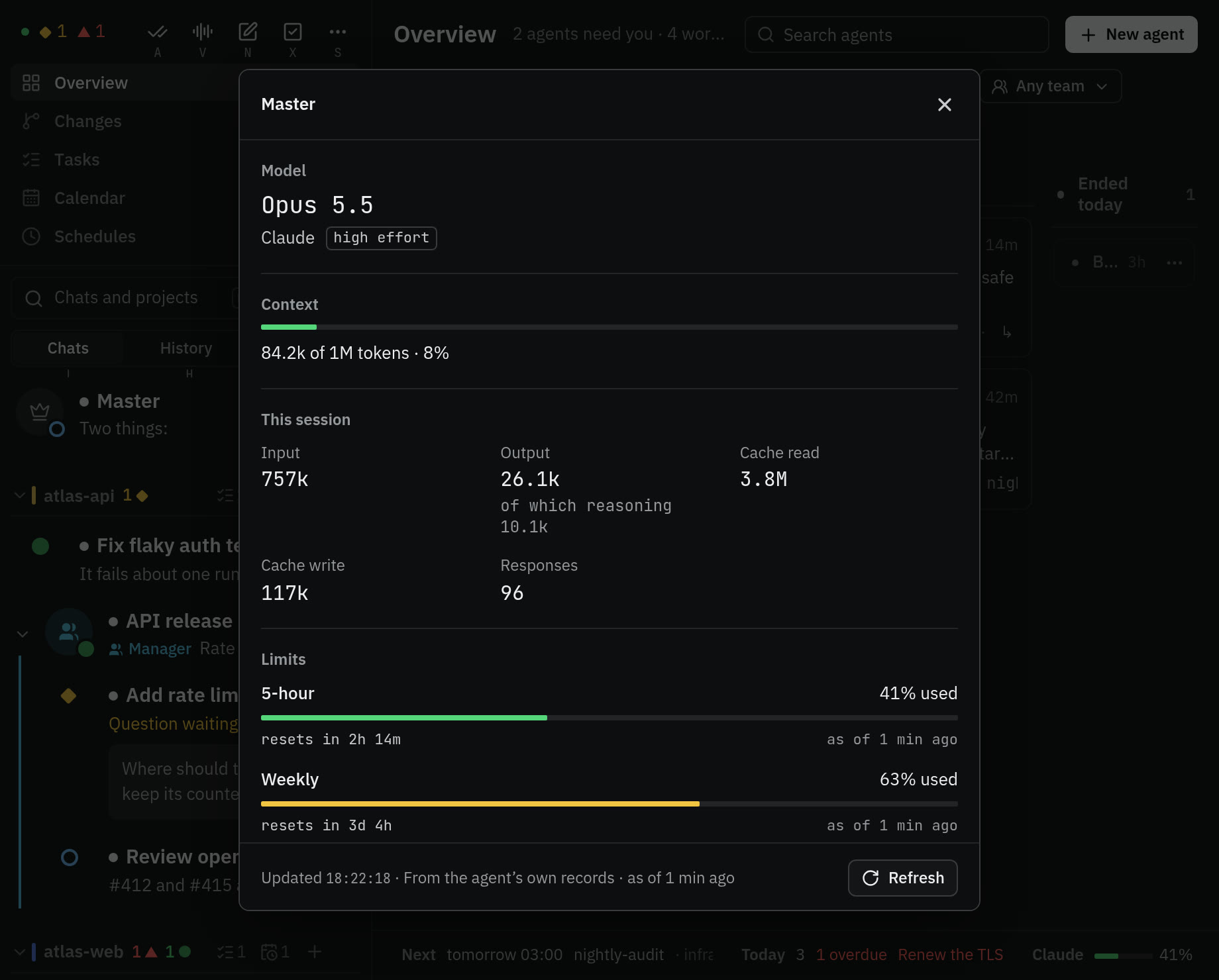
Usage
Weekly and 5-hour limits with their reset times, in the web client on a wide screen and on the iPhone's lock screen. Each chat shows its model and how full its context is.
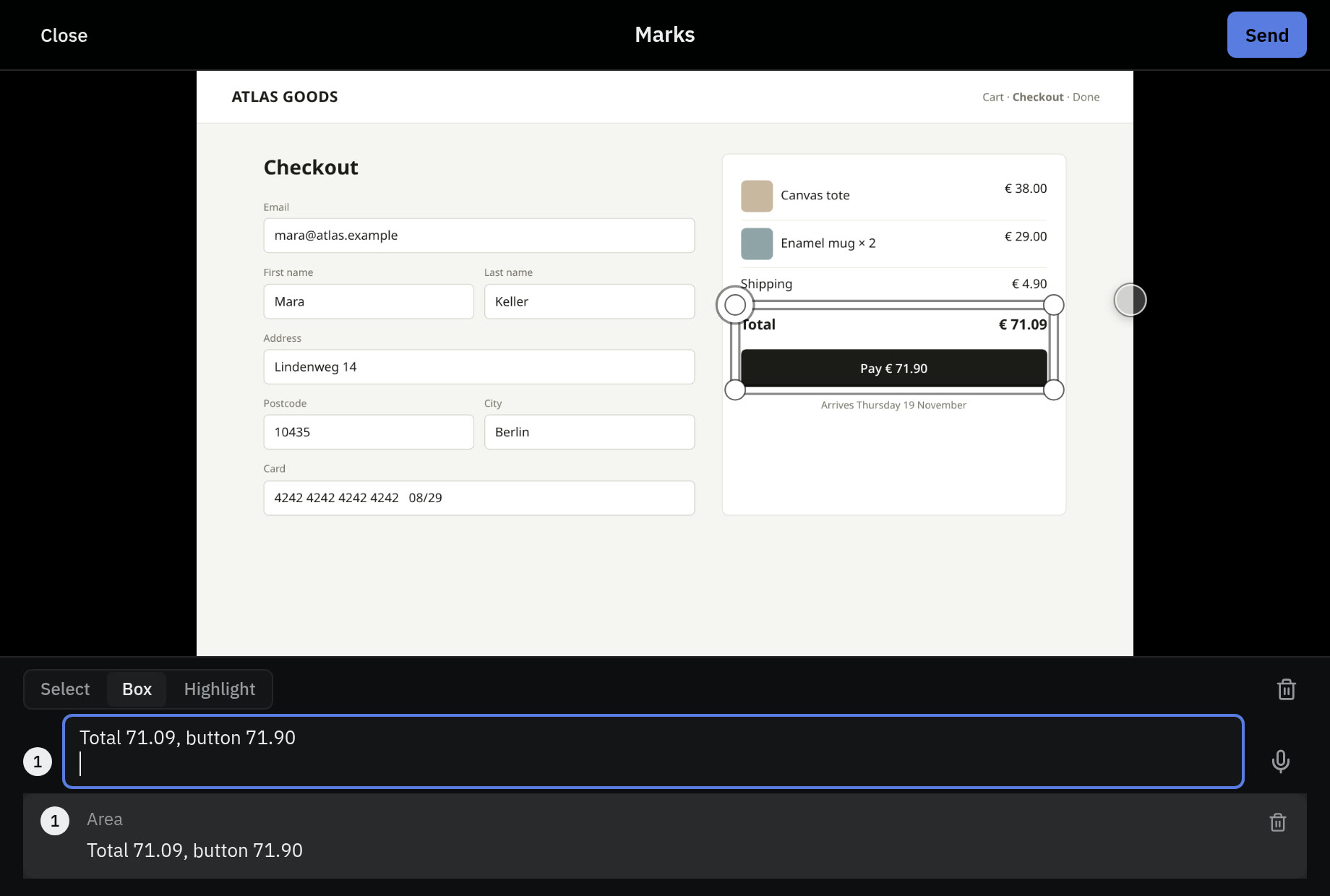
Marks on photos
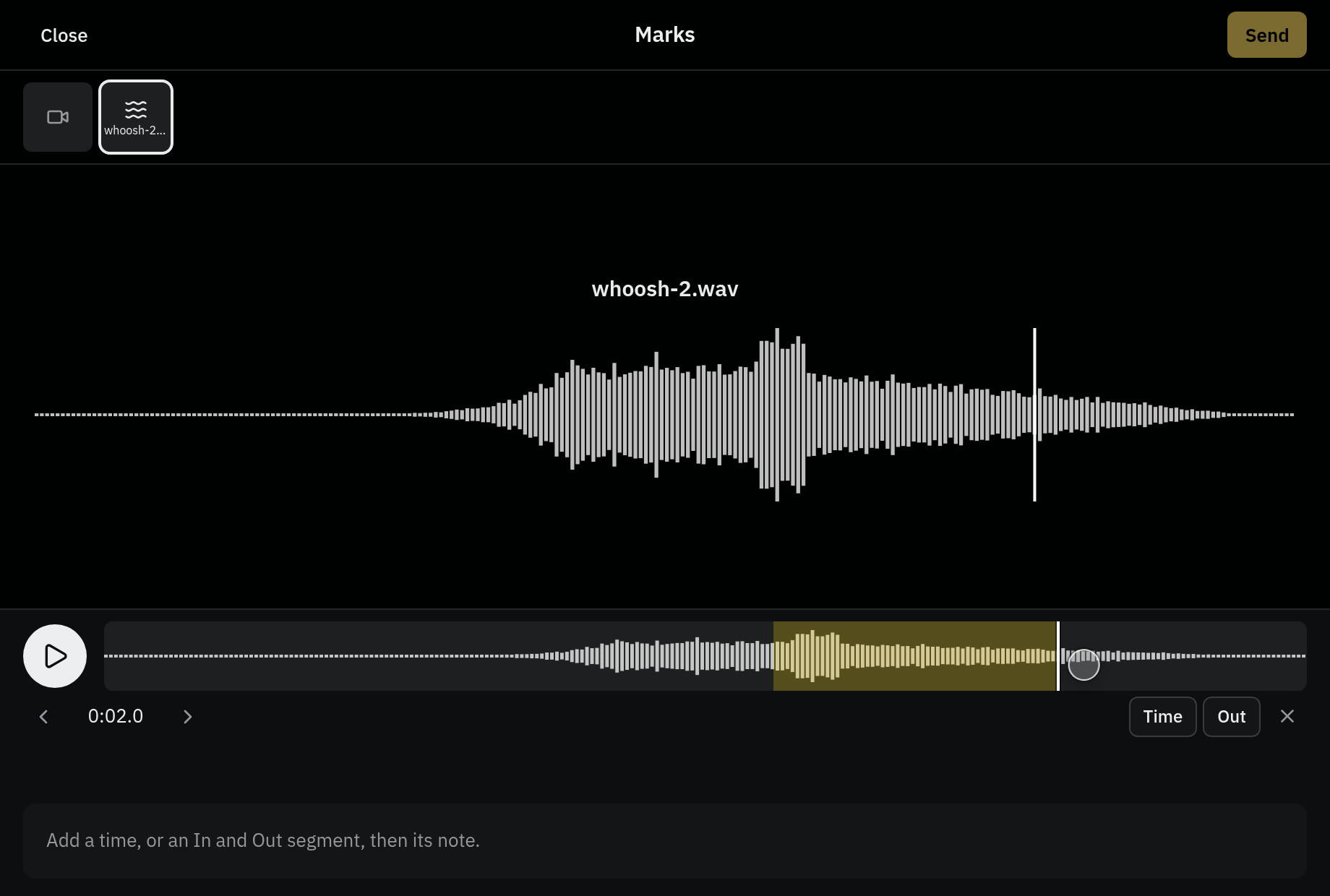
Draw boxes and highlight strokes on an agent's image, each with a typed or spoken note. The agent gets numbered marks and a picture showing where each one is.
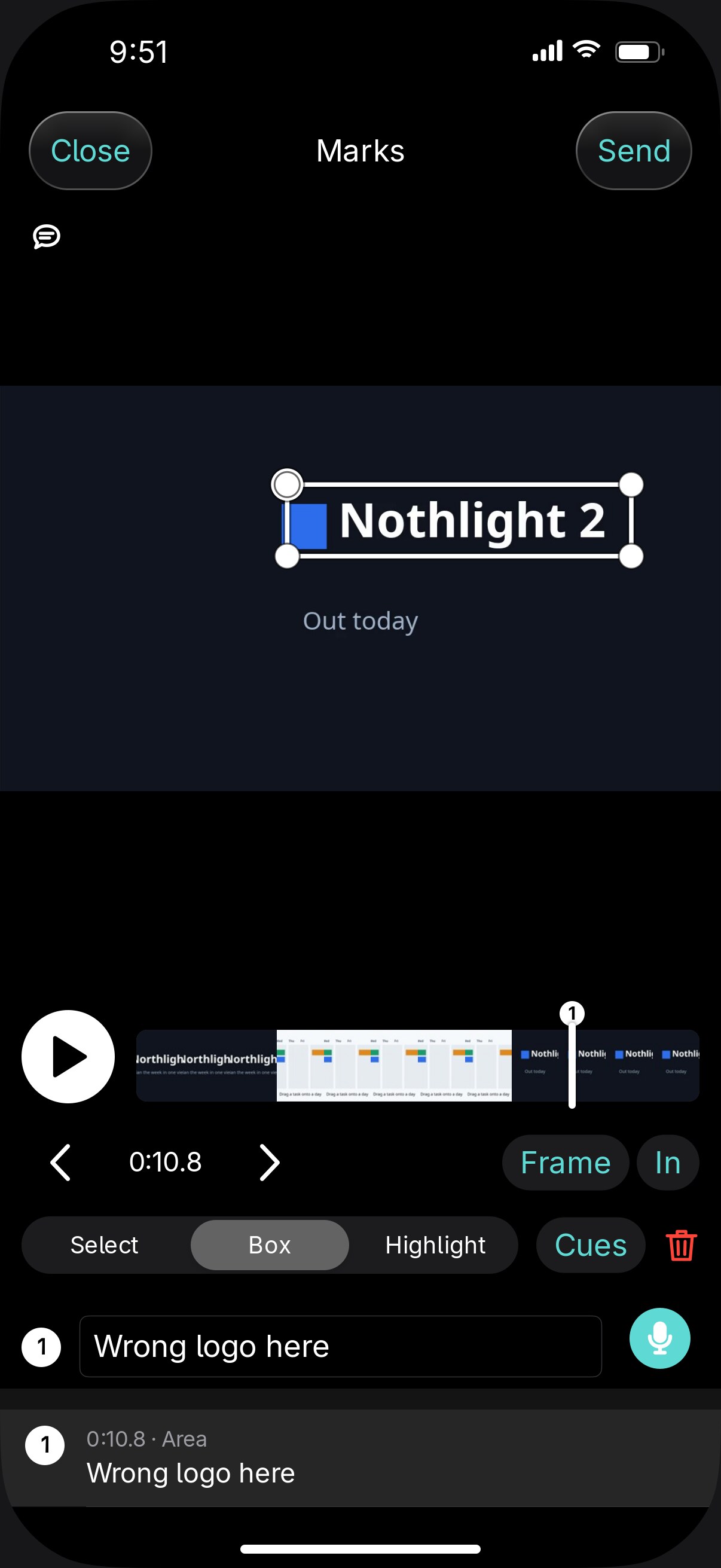
Marks on video
Mark a single frame or an In and Out segment, with a box on it if needed. A filmstrip to scrub, frame steps, and speeds from 0.25× to 2×.
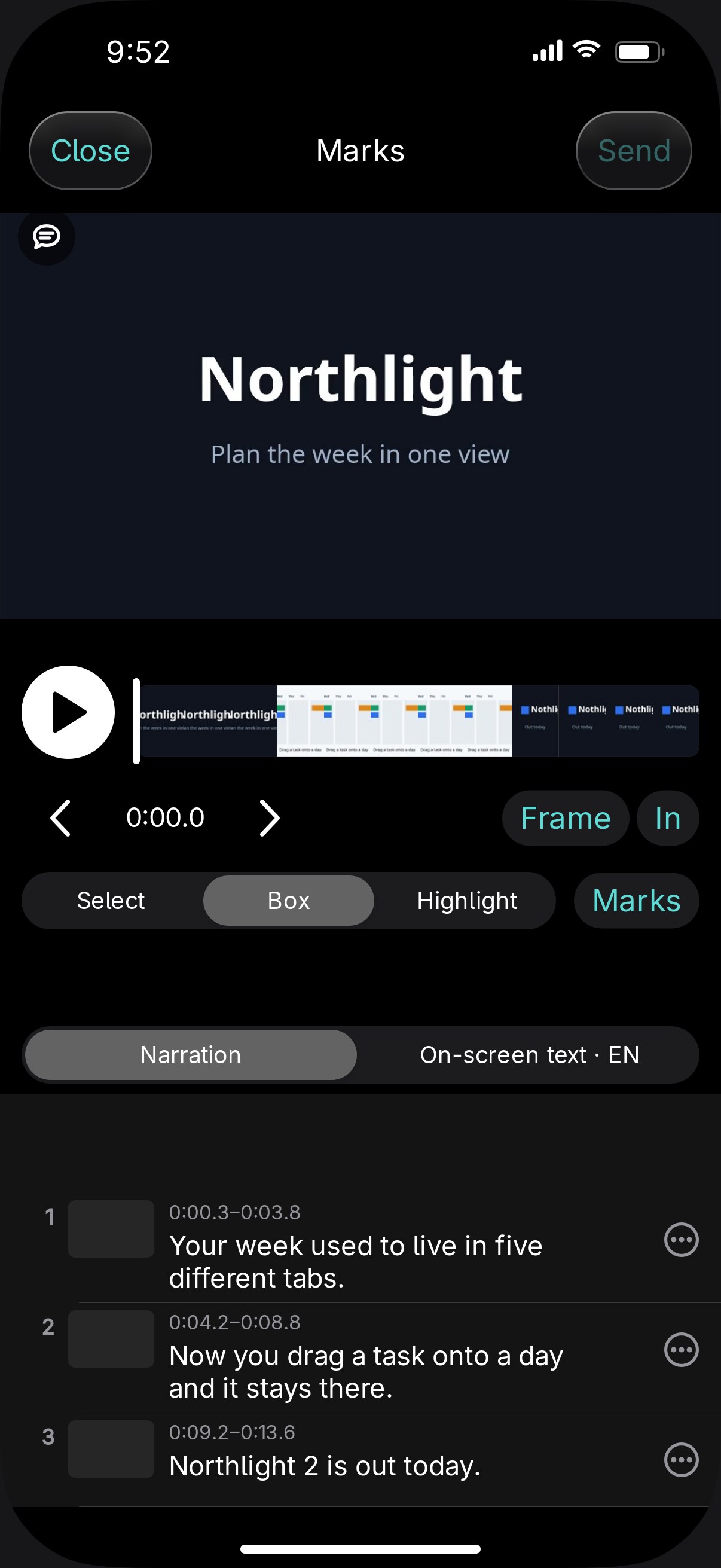
Narration and on-screen text
When a video has text tracks, the cue list shows a frame at each cue. Change a cue to your exact wording, remove it, add one after it, or leave a note.
Pages in the chat
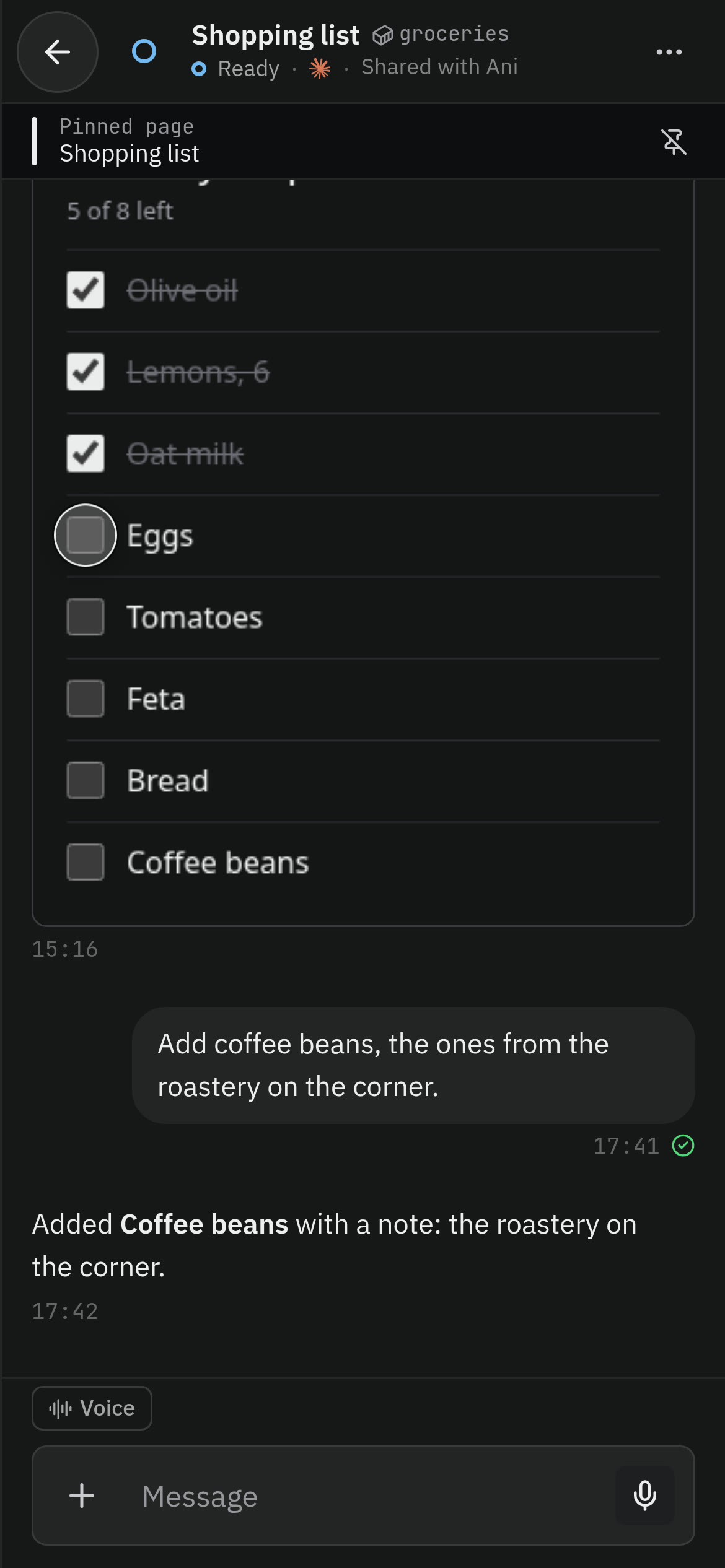
An agent answers with an interactive page, such as a checklist, a comparison, or a form. It can send your choices back, and you can pin up to ten per chat. What you tick is saved for you, on each of your devices.
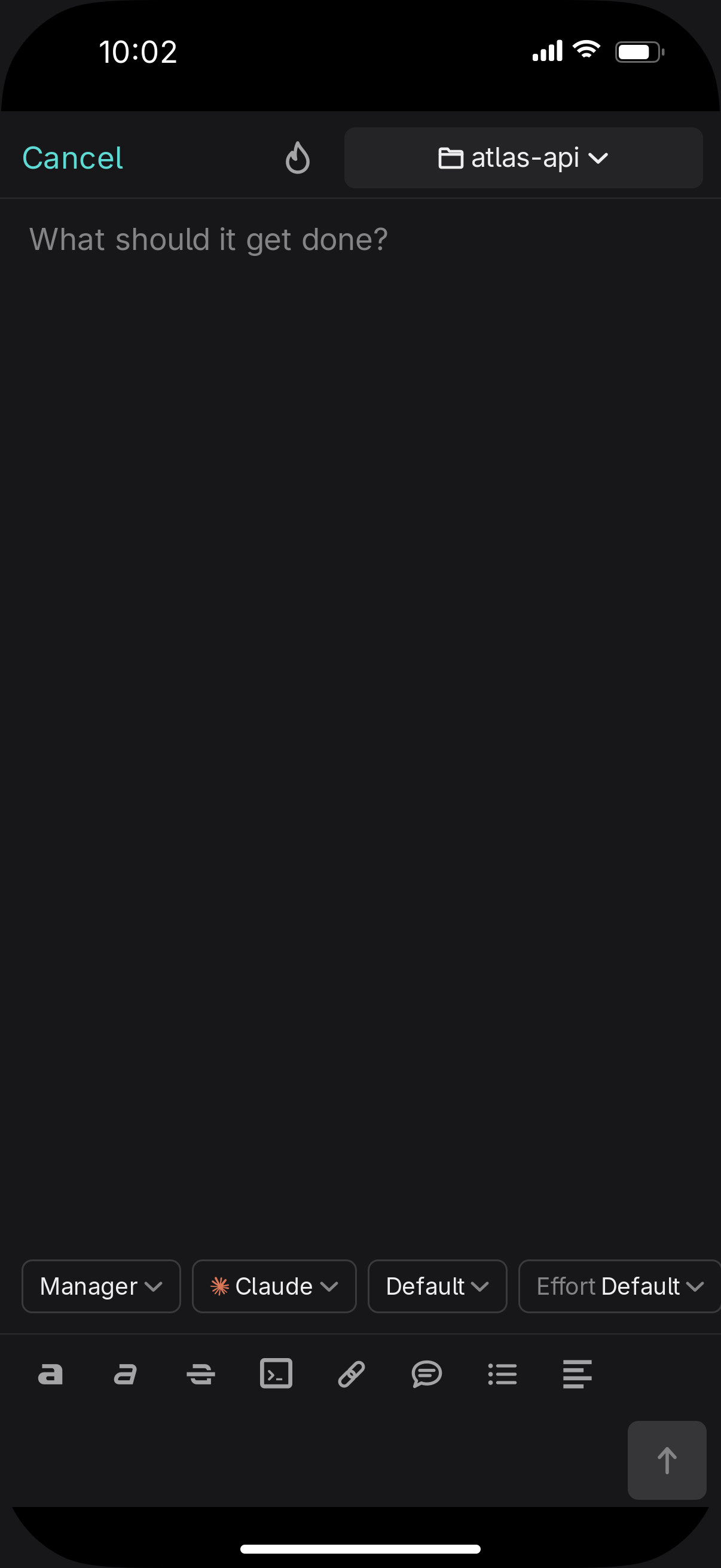
New agent from the phone
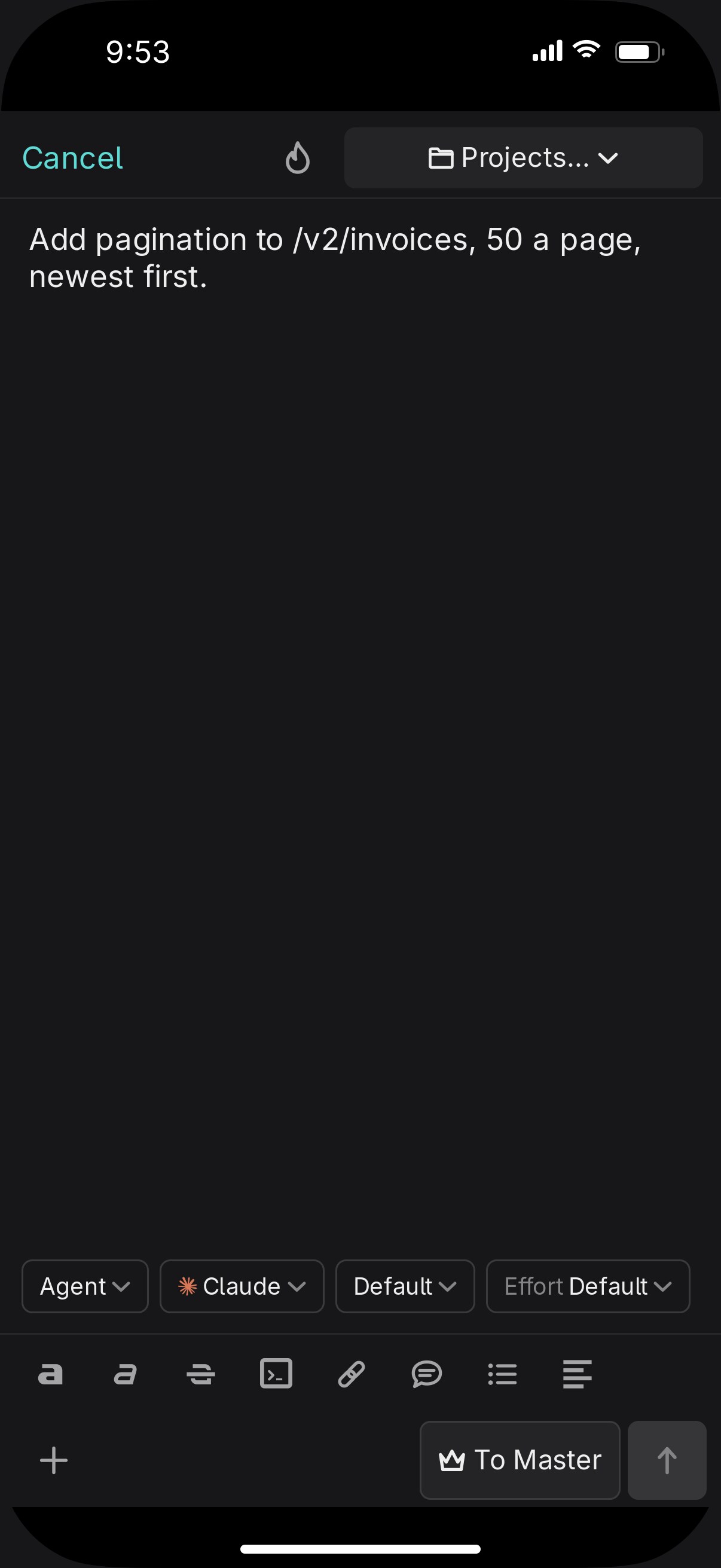
Start one with a first message that can carry photos, files, video, or a voice note. Pick the project, provider, model, and effort, or make it ephemeral.
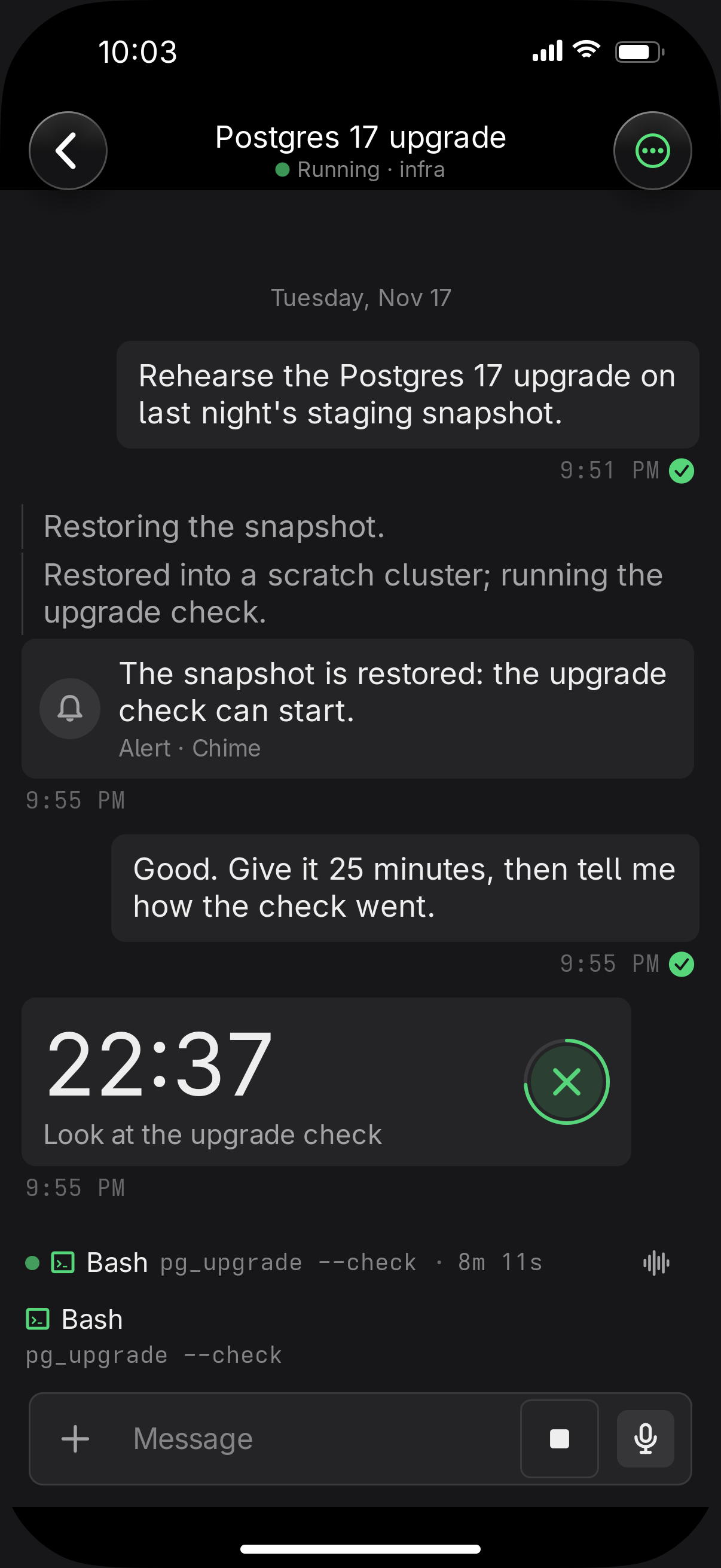
Alerts and timers
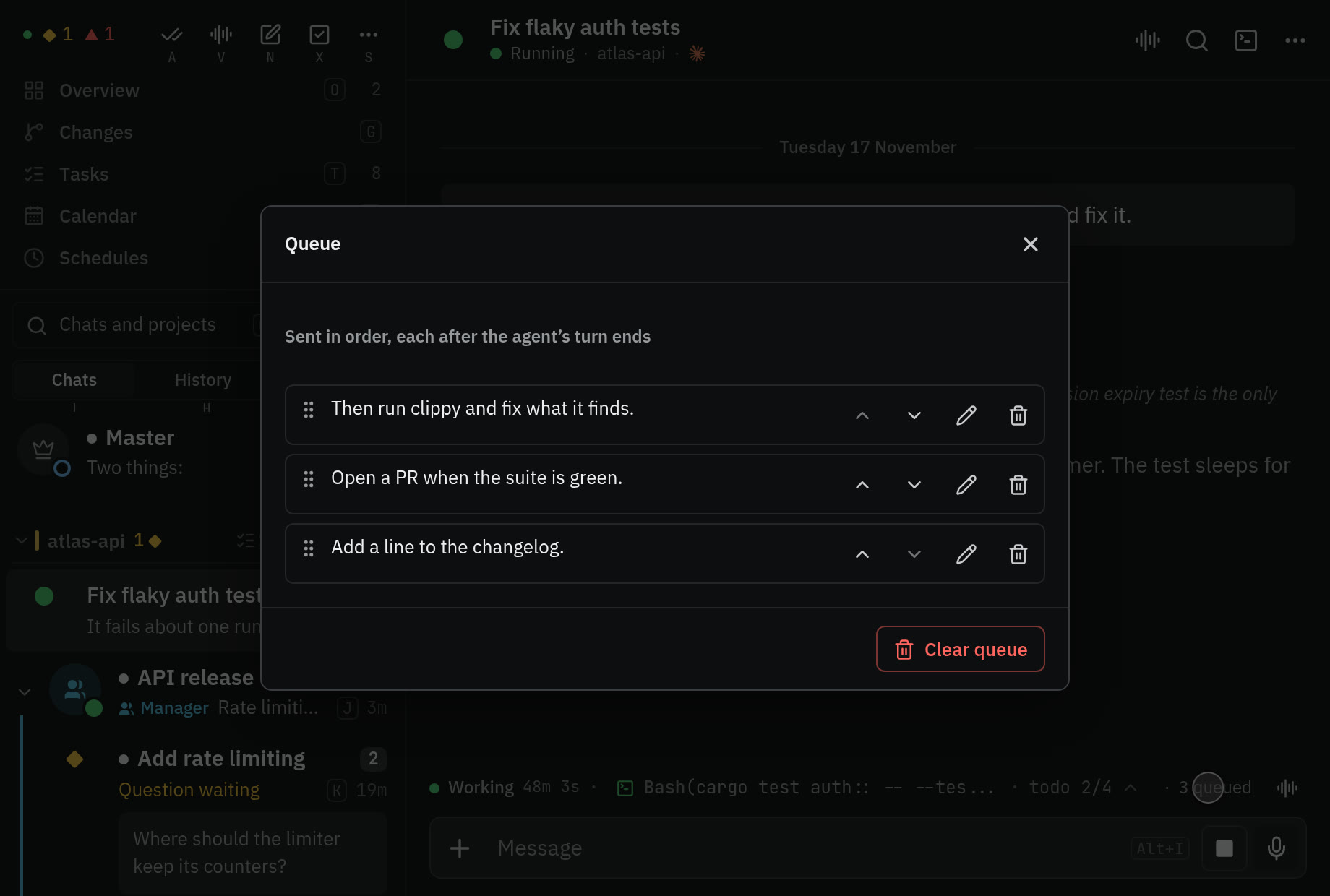
An agent on your computer can sound an alert or start a countdown on your devices. You hear it even with notifications muted. Agents in containers can't send alerts, timers, or Live Activities.
Lock screen
A Live Activity counts the agents that need you and shows the question that has waited longest. An agent can run its own, with a title, a progress figure, and a countdown.
Share sheet
From Photos or any app on iPhone, send files, a link, or text to the Master, a recent chat, or a new one.
Telegram and Discord
A topic or channel per conversation, with progress edited into one message and questions as buttons. Voice notes are transcribed, and photos arrive as prompts.
Notifications
iPhone push with an Answer action, web push, desktop notifications, and ntfy. Reading on one device clears the others.


With other people, and other agents
Agents can lead agents, and the people you add get a Vendetta of their own on your computer.
Managers and teams
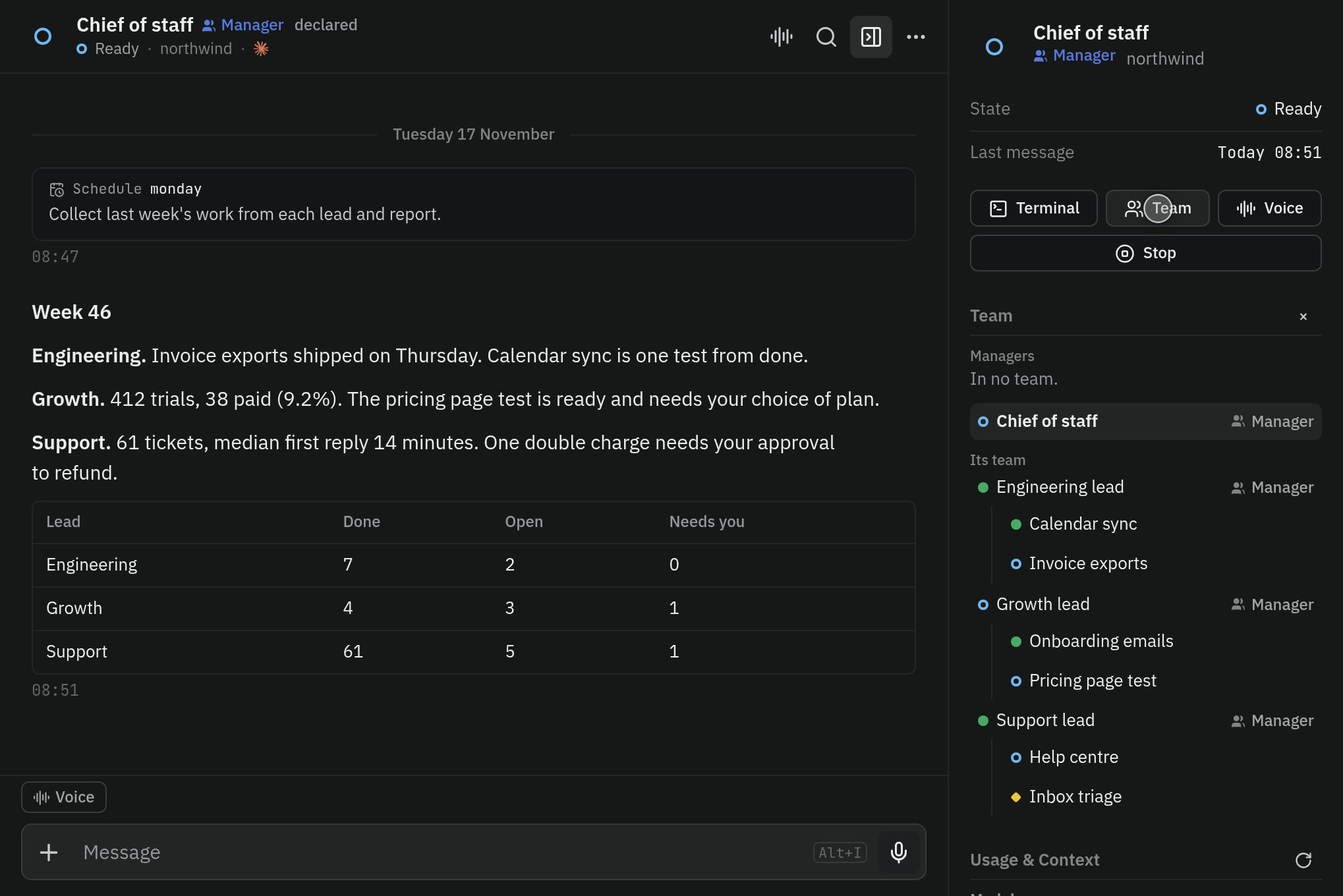
A manager is a Master for one project: select agents and start one over them. Teams nest, members start muted, and their manager relays what matters.
The team tree
The overview draws each project as a frame, with a line from every agent to the ones it started.
People
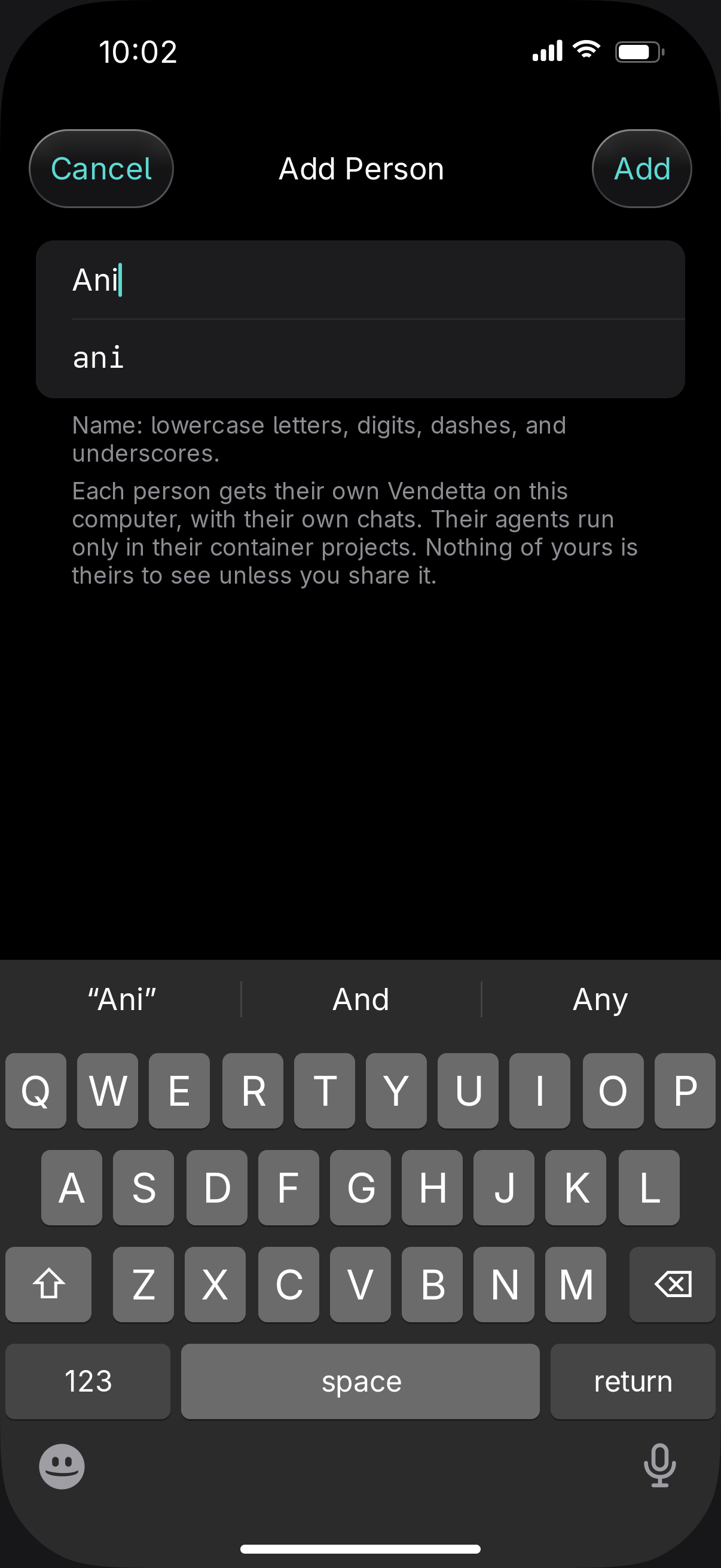
A second person gets their own Vendetta on your computer, in containers, with their own chats and Master. You set limits on memory, CPUs, and machines for each.
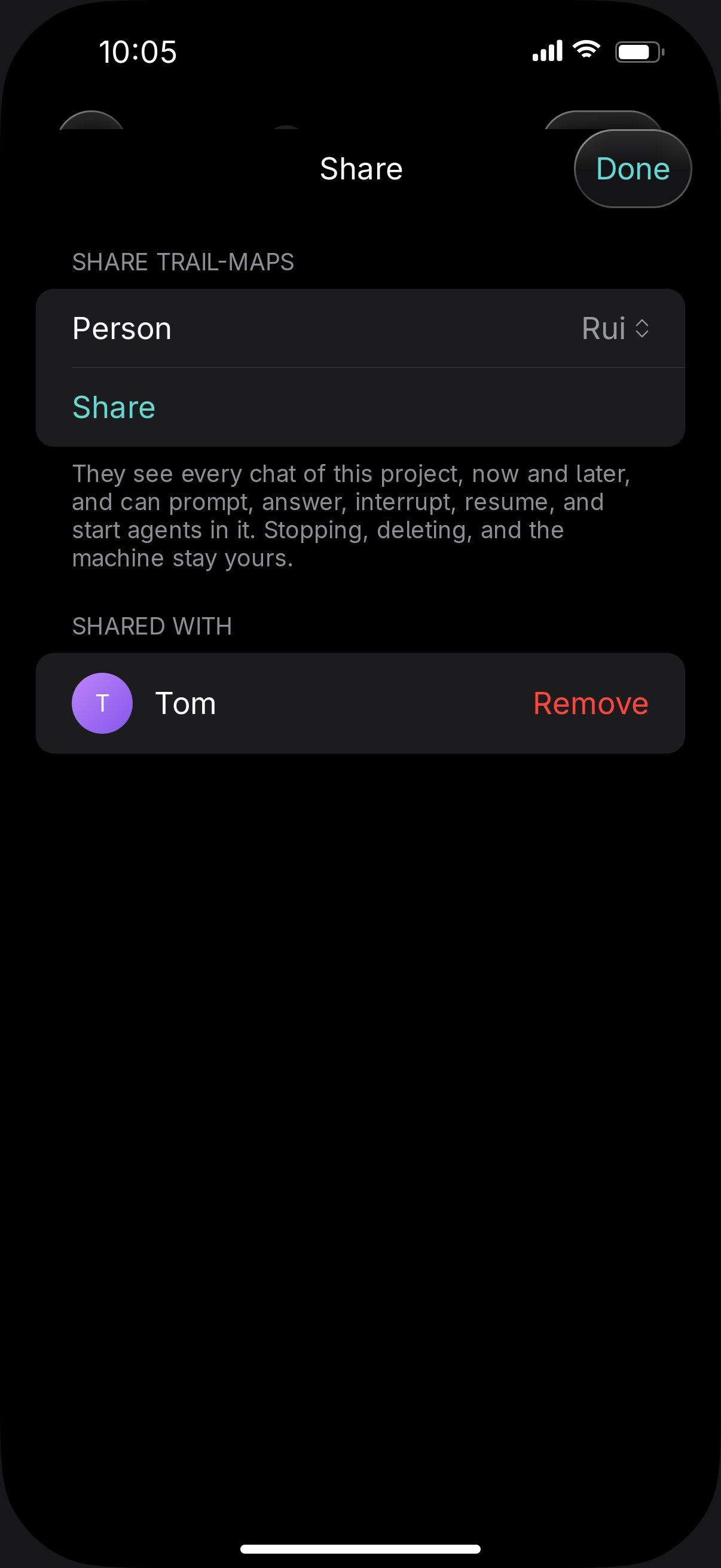
Share a project
Share a whole project and you both prompt, answer, and start agents in it. Every message says who sent it, and notes between people never reach the agent.
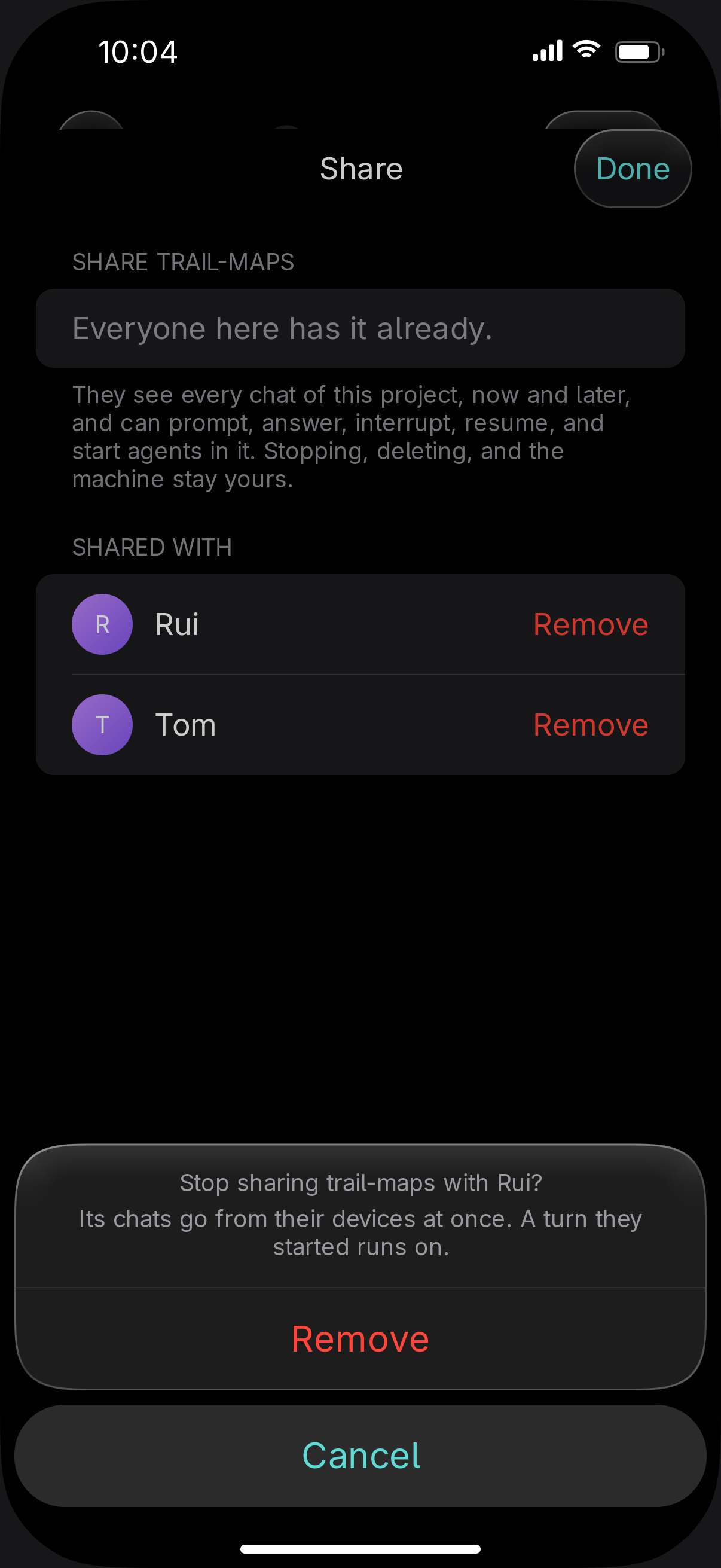
End a share
Stopping and deleting stay with the person who shared. They can end the share at any time.
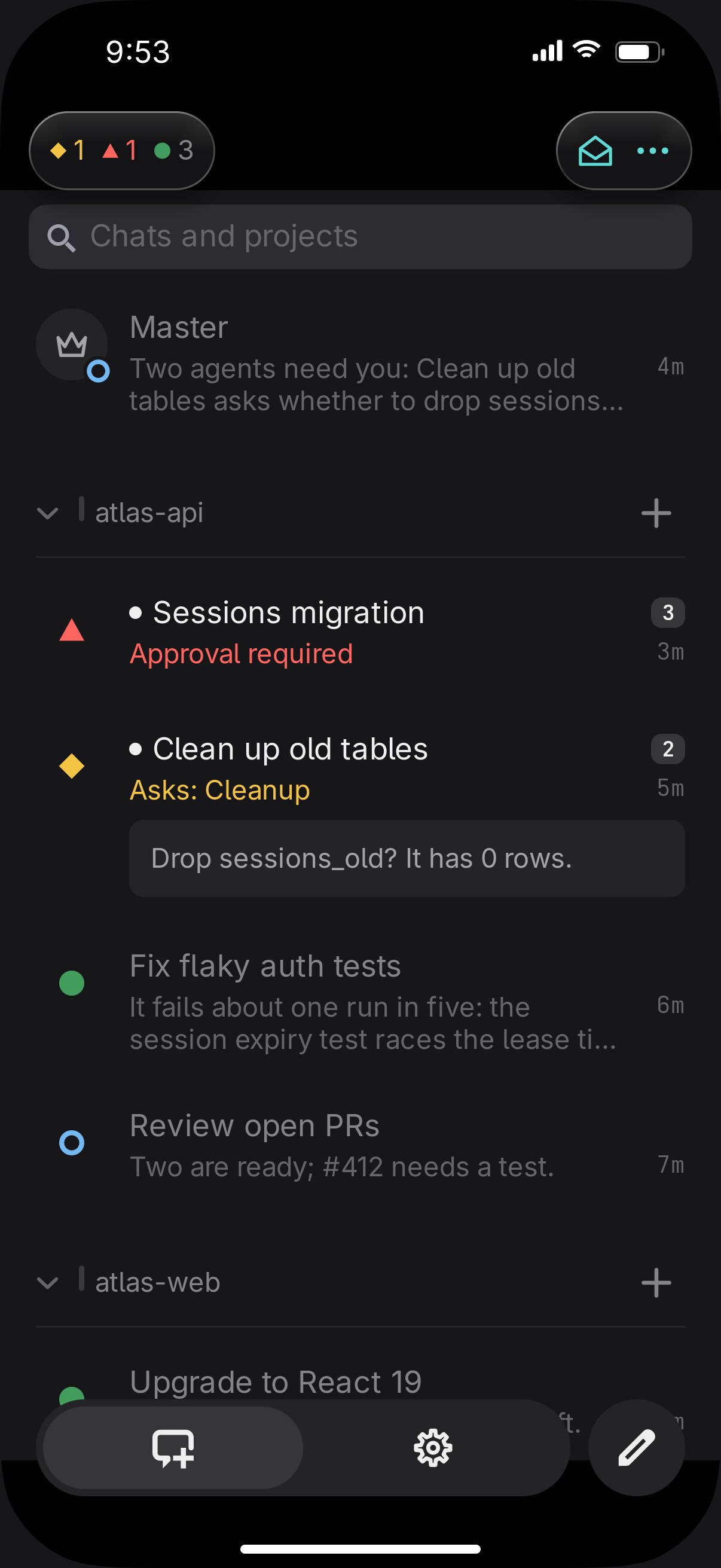
Simple and Advanced
Every device starts in Simple: chats by project, newest first, with three states. One switch at the top of Settings turns on Advanced.
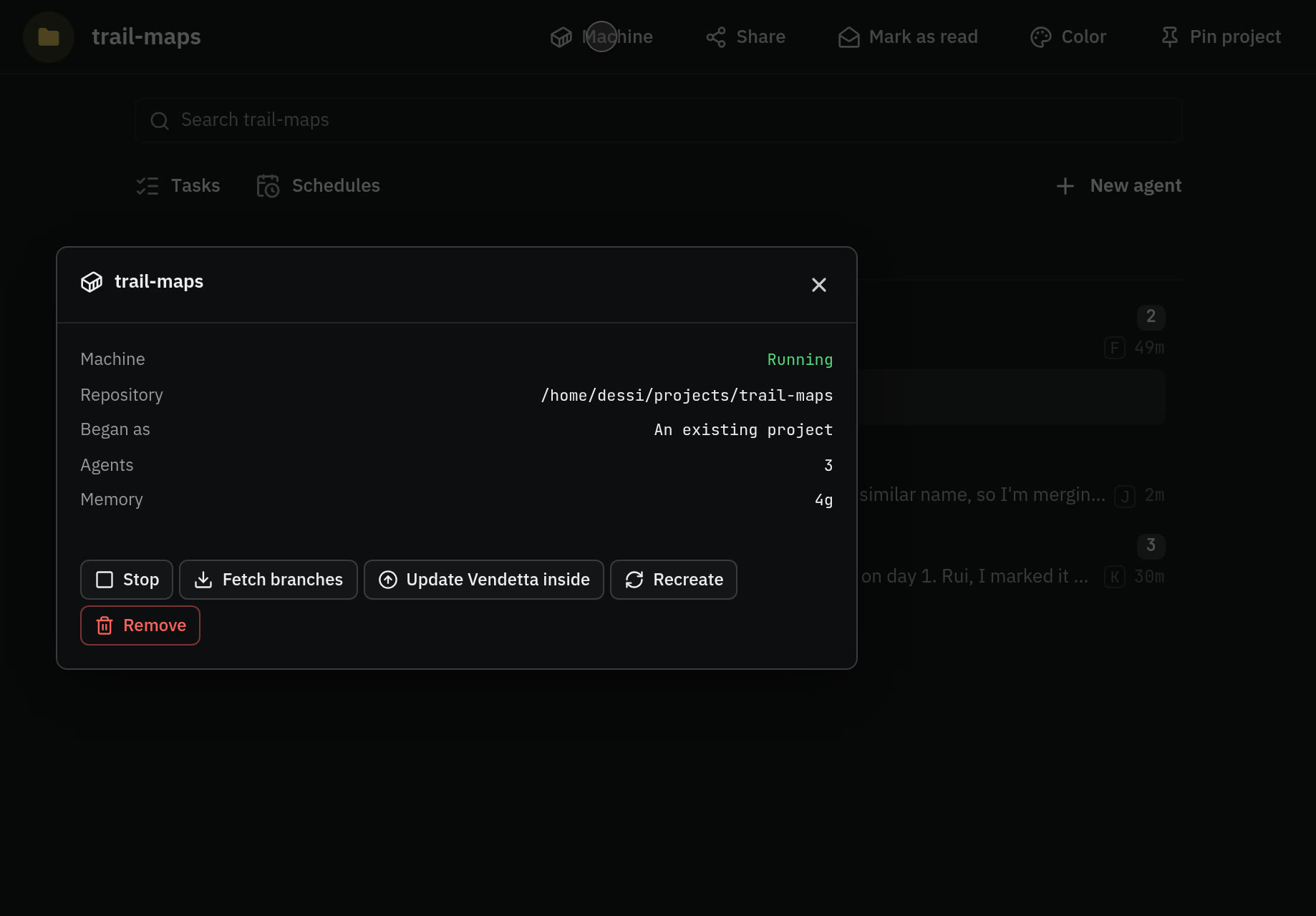
Containers
A project's agents in a Docker or Podman container on a private clone. Your logins are served through a proxy and never copied in.
The Master
One trusted agent that lists, reads, prompts, answers, starts, resumes, and renames the others, and manages schedules. It has no shell and never answers an approval.


On a schedule
Prompts that run without you, each with a record of what happened.
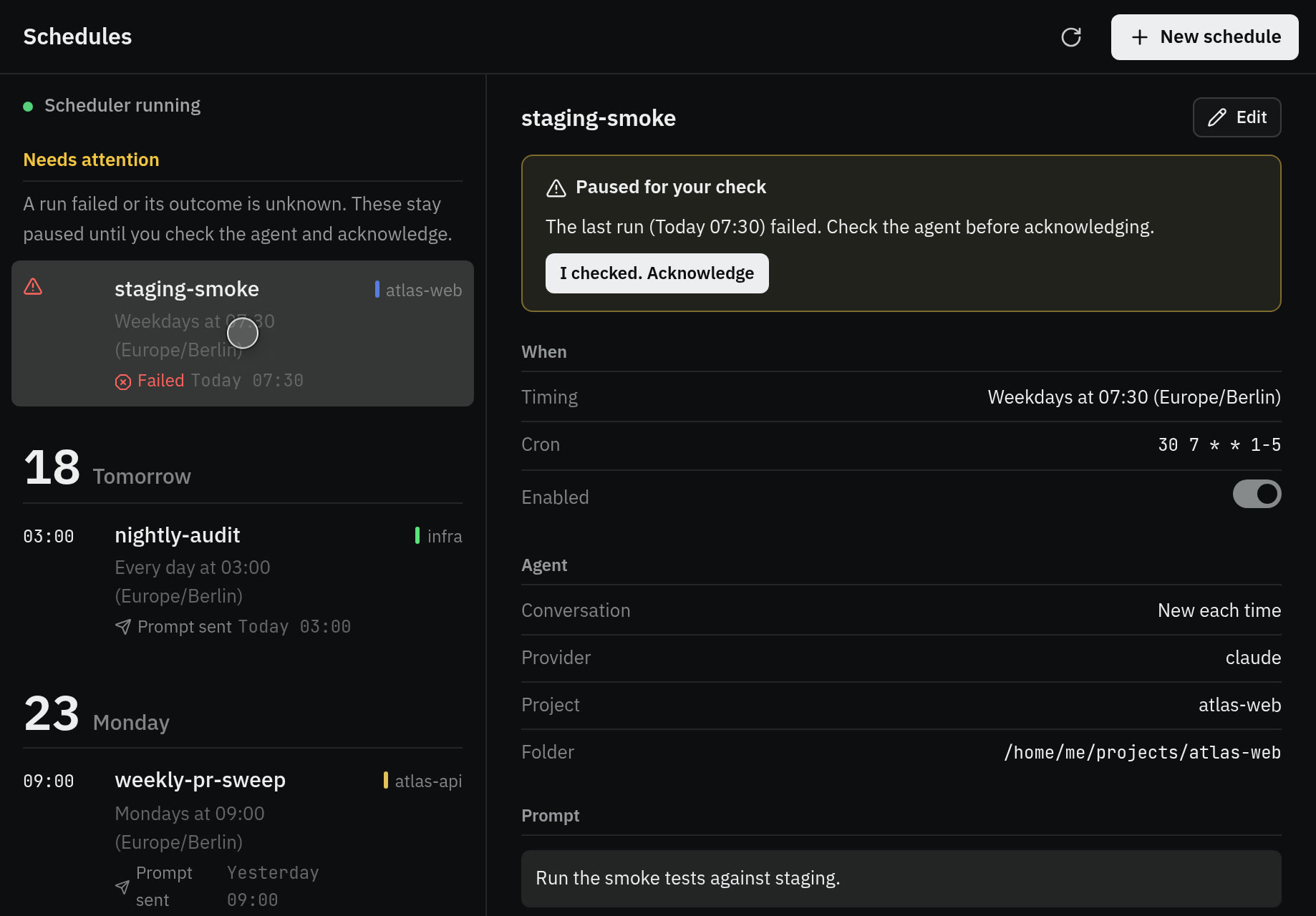
Schedules
Cron, once, or on demand, to a new agent, the same agent, or one exact conversation. History keeps 1,000 runs, and a failed run stops until you look. In a container project every run starts a new agent.
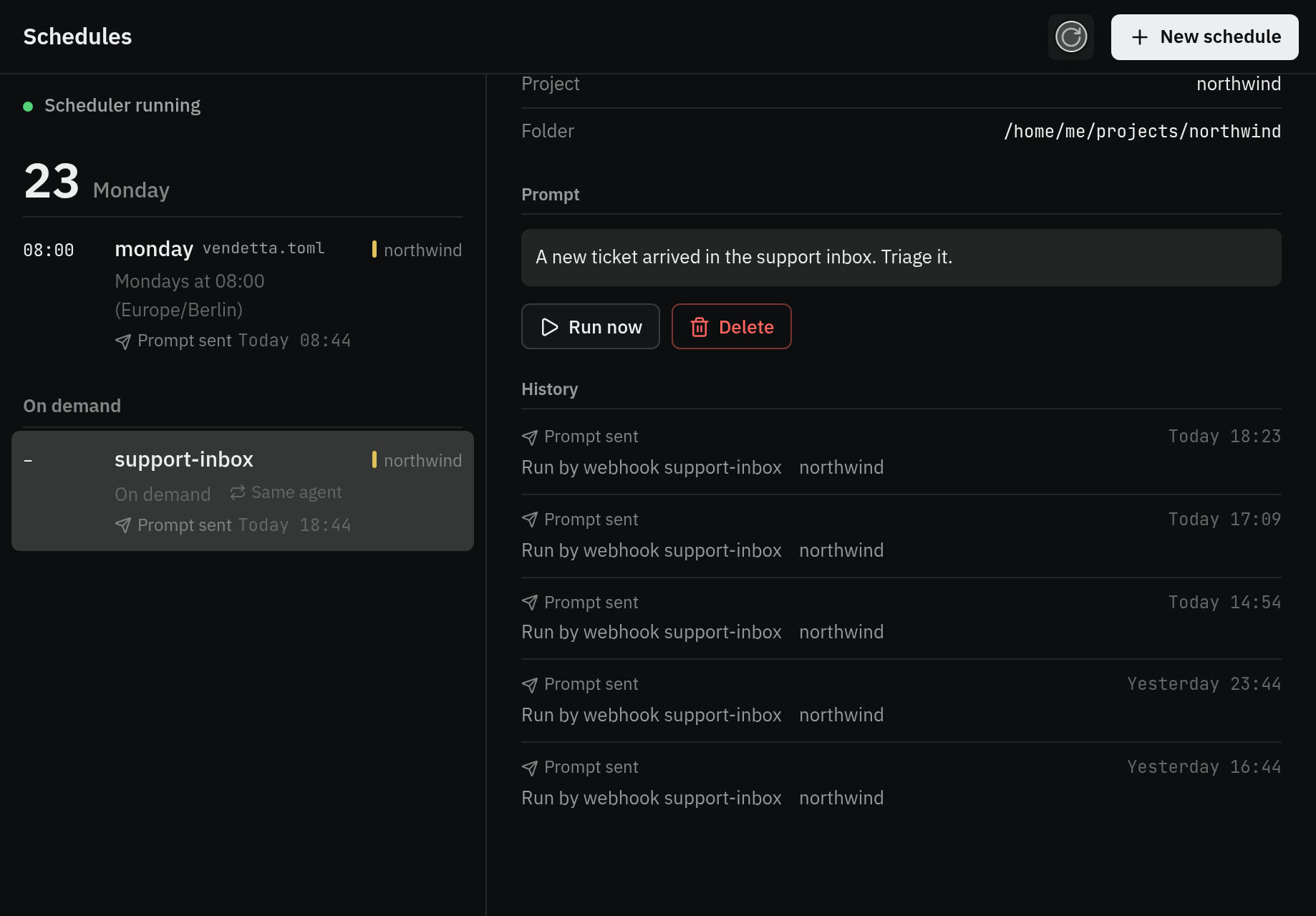
Webhooks
A URL that runs a schedule when a service calls it. Requests are signed, from GitHub, Forgejo, or any HMAC sender.
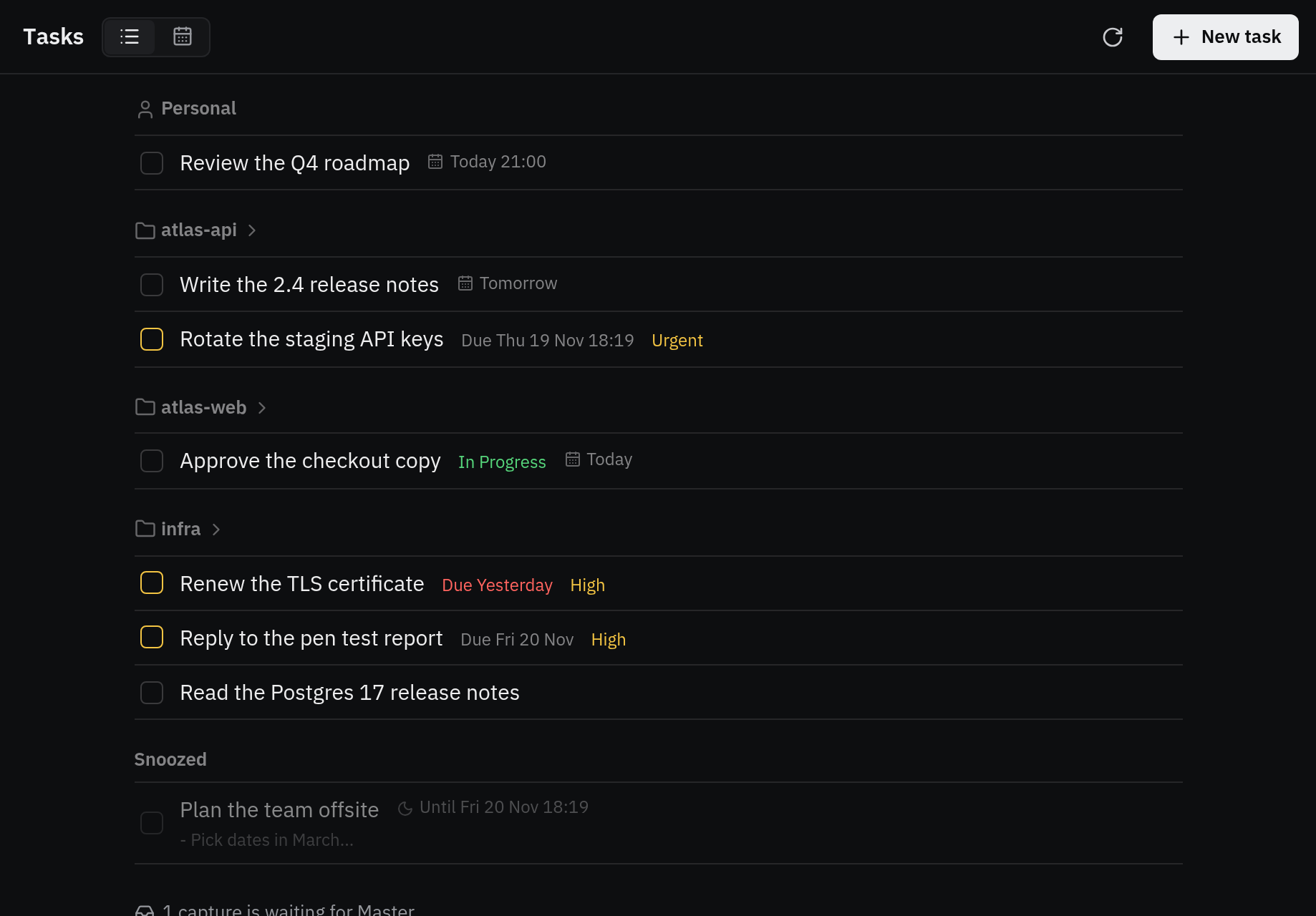
Tasks
Tasks from any plugin that serves them, such as an Obsidian vault. A list and a week calendar, with snooze and priority, in the terminal, the apps, and the HUD.
Project file
vendetta.tomldeclares a project's always-running agents, teams, and schedules. Nothing runs until you trust it.Housekeeping
Auto-delete for stopped conversations, with a dry run. An idle timeout pauses agents, and a message resumes them.

Plugins
Most of Vendetta is plugins. Each is a separate program that the worker starts, keeps running, and stops with itself, and each reaches Vendetta only through the worker's private control socket. Yours can be written in any language.
| Ships with Vendetta | What it does |
|---|---|
messaging | Telegram, Discord, and the endpoint the iPhone and web apps connect to |
hud | Cards over every window: agents, tasks, alerts, and your own sections. Hyprland, or macOS with the Vendetta app |
hud-kitty | A panel in the corner of your Kitty terminal on Hyprland |
host-tmux | tmux as a terminal host: chooser, panes, launches, shortcuts, and tab labels |
host-kitty | Kitty as a terminal host: chooser, panes, launches, shortcuts |
shortcuts | Desktop-wide keys on Hyprland and macOS |
speech | Speech to text for voice notes and dictation, and the voice the apps read replies in |
dictation | Push-to-talk into the focused agent or window |
ntfy | Alerts on your phone through an ntfy topic |
webhooks | URLs that run a schedule when a service calls them |
claude-proxy | Your Claude and git logins for containers and people, through sockets of their own, never a copy |
github | Your GitHub account: your repositories for new projects, and git for you and your containers |
personal-hub | Tasks from your vault for the chooser, the apps, and the HUD |
dashboard | The apps' Overview: lanes of agents by what they need |
diff | Changes: each agent's committed work, by revision, with your line comments |
tailscale | Your app endpoint, and each person's, on your tailnet |
A plugin can add buttons and pages to the iPhone and web apps as data the apps draw with their own pieces, serve a command your agents call, and react when an agent asks, finishes, or fails. Write a plugin
The rest
- Chat
- Rich-text composer with shortcuts and a full-screen editor. Drafts that survive a relaunch. Reply with a quote. A photo editor with pen, shapes, arrow, text, crop, and rotate.
@Photo 2to name an attachment. Slash-command suggestions from the agent's own commands, skills, and MCP prompts. Links between chats that open at the exact reply. Interrupt, mute, keep, and ephemeral chats. A picture per chat. Search in a chat and across chats. - Media
- Videos play in place and full screen. A viewer pages through every photo and video in a chat. Picture in Picture and a captions menu. Uploads up to 256 MB with progress and resume. Camera, drag and drop, and paste.
- Lists
- Tree or projects layout. Pinned projects and chats. History with resume. Mark all as read. Twelve project colours, the same on every surface.
- Look
- Light, dark, or system. An app colour, or match the project colours.
- Web
- A key for everything: jump mode, jump to a chat, step through chats, answer and approve on the overview. Every shortcut can be rebound, and ? lists them.
- iPad
- Split view, with the list beside the chat.
- Teams
- An agent can have several managers. A team has its own model and effort, and reminders for members not acted on.
- People
- Per-person switches for your Claude, git, services, and Master. Skills and MCP servers shared one by one. Their own GitHub. Managed from the app, with each step shown.
- Terminals
- tmux, or Kitty, as the terminal host. Desktop-wide shortcuts on Hyprland and macOS. A HUD panel in Kitty. Agents outside tmux are listed too.
- Connections
- GitHub sign-in, with your repositories as a source for new projects. Tailscale names for your endpoint and each person's.
- Transcription
- Yours to choose: a local command such as Whisper, or a provider.
- For agents
- A skill tells each agent what reaches you: images, video, audio, and subtitle tracks in a reply, questions as buttons, pages, alerts, timers, and Live Activities, follow-ups it schedules for itself, links to chats and changes, and
vendetta agentto start and drive other agents. - Checks
vendetta config checkreads your configuration and says what is wrong with it.